Should Air Purifiers Be On All the Time? A Practical Guide
Discover whether you should run an air purifier continuously, with practical tips on auto mode, scheduling, energy use, and maintenance for bedrooms, living rooms, and allergy relief.


Should air purifiers run all the time? In most homes, continuous operation improves indoor air quality, especially during peak dust, pet dander, and allergy seasons. If your purifier has an auto or smart mode, let it adjust based on air quality while using a timer to prevent overnight overuse. For energy savings, balance constant use with shorter high-usage periods when needed.
Why running a purifier continuously can help
According to Air Purifier Info, continuous operation is common in households battling persistent dust, pet dander, and seasonal allergies. A purifier kept on to circulate air around the clock helps prevent stagnation, reduces peak pollutant levels, and supports a stable indoor air baseline. If your model includes auto or smart modes, enable them so the fan speed adjusts to real-time air quality readings. This approach minimizes manual adjustments while maintaining air quality without sacrificing comfort. Remember that kitchen odors, cooking emissions, and smoke can create short-lived spikes that continuous use helps to blunt, especially in open-plan living areas. Air Purifier Info analyses indicate that real-time adjustments, paired with routine filter maintenance, deliver the most practical improvements for day-to-day breathing.
- In bedrooms, continuous operation supports overnight air exchange and allergen reduction.
- In living rooms, a steady baseline helps manage pet odors and dust.
- In home offices or study spaces, consistent purification can modestly reduce irritants that affect concentration.
When you’re deciding, balance needs with comfort and energy use.
How to evaluate your space and purifier features
To decide whether to run continuously, start with a quick audit of your room size, purifier CADR (clean air delivery rate), and filter status. Match the purifier’s recommended room size to your actual space, ensuring the device isn’t oversized or undersized for the area. If the unit offers auto mode or eco/sleep settings, these are valuable for reducing power draw without sacrificing air quality. Consider whether your purifier uses a true HEPA filter and is ozone-free, as these factors influence both safety and effectiveness. For households with pollen-heavy seasons or multiple pets, a model with higher CADR in the odor and dust categories can provide steadier relief when used continuously. Finally, confirm the device’s placement—clear of walls and obstructions—to maximize airflow.
Tip: Keep replacement filters accessible and track changes in air quality with a simple log to see how continuous use affects your space over time.
Auto mode, timers, and scheduling: making it practical
Auto mode leverages real-time air quality sensors to modulate fan speed and purification intensity. If your purifier lacks sensors, pairing it with a smart plug or using a built-in timer can approximate adaptive control. For bedrooms, set a gentle overnight profile that maintains air exchange without excessive noise. In living areas, a daytime schedule aligned with activity (cooking, cleaning, pet care) can reduce peaks in pollutants while conserving energy. Smart features often allow you to define routines for different days of the week, which is especially helpful for households with varying work-from-home patterns. Testing a few cycles helps you identify a rhythm that keeps air fresh while staying comfortable.
Pro tip: A gradual ramp-up at intervals can feel less disruptive than abrupt full-power changes.
Energy, noise, and comfort: balancing trade-offs
Running an air purifier constantly can raise energy use, but many modern models are energy-efficient and designed for long-duty operation. When evaluating comfort, pay attention to noise levels at the purifier’s lowest and highest settings. If sleep or quiet work is important, choose units with a dedicated sleep or whisper mode and place them away from direct line-of-sight or near sleeping areas. In spaces with high exposure to cooking fumes or smoke, higher continuous operation may be warranted during peak activity periods; in lower-traffic areas, shorter intervals can suffice. If you’re concerned about energy impact, test a mode where the machine operates at a lower speed overnight and then increases during the daytime when air quality naturally fluctuates.
Tip: Use the timer or auto mode to avoid running at full power 24/7 unless necessary.
Seasonality, allergies, odors, and daily life
Allergy seasons and pet dander are top reasons to keep a purifier running in key rooms. Odors from cooking, cooking surfaces, or tobacco smoke also respond well to continuous operation, especially in open-plan layouts. During pollen-heavy periods, consider running the purifier in zones where you spend the most time, like the bedroom and living room, to maximize relief. For odors, pairing a HEPA filter with an activated carbon filter improves overall performance and makes continuous use more practical. Always ensure proper placement—at least a few inches away from walls and furniture—to reduce stagnant pockets and ensure consistent air movement across the room. If you frequently open windows, you may adjust the schedule to accommodate fresh air influx without overwhelming the purifier’s capacity.
Air Purifier Info suggests evaluating how your daily routine affects air quality and adapting the purifier schedule accordingly.
Maintenance and long-term cost considerations
Continuous operation makes regular maintenance even more important. Change filters per manufacturer recommendations, and inspect the unit for dust buildup on intake grilles and exhausts. A clogged filter or obstructed airflow reduces efficiency and increases noise, which can lead to a higher perceived energy burden. While the upfront cost of running a purifier is usually modest compared to the health benefits of cleaner air, longer-running units demand consistent filter replacement. To maximize value, set a reminder to check filter life quarterly and replace filters promptly when performance declines. If you own multiple units, stagger their maintenance cycles to avoid simultaneous replacements. Air Purifier Info’s approach is to combine continuous use with a pragmatic maintenance schedule that preserves effectiveness without unnecessary expenditure.
Practical setup for different rooms and multi-room homes
In smaller bedrooms, a compact purifier with auto mode is often enough, while larger living areas may benefit from a higher-CADR purifier running in continuous mode. In open-plan layouts, place purifiers to cover both zones by using at least one unit for every major airflow area. For homes with varied occupancy, consider programmable purifiers or smart plugs to tailor schedules by room. When using multiple devices, align routines to common wake times and mealtimes to stabilize indoor air during peak usage periods. This approach keeps air fresh where you spend the most time while preventing wasted energy on empty rooms.
Quick-start plan you can implement today
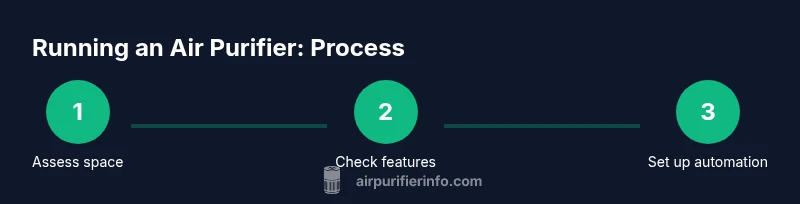
- Identify the rooms where you spend the most time and how air quality affects comfort; 2) Check each purifier for auto, timer, or sleep modes; 3) Set up a simple daily schedule or enable auto modes; 4) Place units away from walls, with even spacing to maximize airflow; 5) Track air quality or comfort improvements with a log for two weeks and adjust as needed.
This practical approach gives you a clear baseline and ensures you aren’t guessing about long-term usage.
Common myths about running purifiers non-stop
Myth: Running all day wastes energy without benefits. Reality: Continuous operation can reduce pollutant buildup and support consistent air quality, especially in high-traffic areas, when paired with proper filtration. Myth: Auto mode makes all decisions; reality: Auto mode helps, but you should still calibrate settings for your room and lifestyle. Myth: Purifiers replace ventilation; reality: They supplement ventilation but should not be the sole method of air exchange in a space with poor ventilation. Evaluating your space’s unique conditions will guide how you use continuous operation most effectively.
Tools & Materials
- Air purifier with built-in timer or on/off control(Ensure it supports auto mode and sleep setting)
- Smart plug (optional)(For purifiers without built-in timers, to schedule operation)
- Access to purifier manual or mobile app(Check for auto mode, timer, sleep, and filter status features)
- Notepad or digital log(Record air quality impressions and schedule changes)
- Measuring tool (optional)(A basic air quality monitor helps validate results)
Steps
Estimated time: 30-60 minutes
- 1
Assess space and goals
Identify the rooms where air quality matters most and note any symptoms or odors. Decide whether continuous operation or targeted use is most appropriate for each room.
Tip: Write down room purpose and typical occupancy to tailor schedules. - 2
Check purifier capabilities
Review whether your model has auto mode, timer, or sleep settings. Confirm filter type and replacement interval to plan maintenance.
Tip: Enable auto modes first to simplify ongoing adjustments. - 3
Choose a scheduling strategy
Decide if you will run continuously in high-priority rooms or use timed cycles during off-peak hours. Consider pollen seasons and cooking times.
Tip: Start with a simple daytime continuous schedule and adjust after a two-week test. - 4
Set up automation
If supported, enable auto mode or connect the purifier to a smart plug and program daily routines. Ensure placement provides even coverage.
Tip: Avoid plugging directly into a power strip that can cause power instability. - 5
Test and refine
Run the system for 1–2 weeks and note changes in comfort and residue on surfaces. Tweak fan speeds and timer durations as needed.
Tip: Record subjective comfort and objective cues like dust accumulation. - 6
Maintain consistently
Adhere to filter replacement schedules and inspect air intakes monthly. Clean grilles to prevent airflow obstruction.
Tip: Set calendar reminders for replacements to avoid gaps. - 7
Reassess seasonally
Review performance as seasons change, occupancy shifts, or after renovations. Adjust schedules to reflect new air quality patterns.
Tip: A seasonal check ensures long-term effectiveness.
Questions & Answers
Is it safe to leave an air purifier running 24/7, including overnight?
Yes, most purifiers are designed for continuous operation and are safe for overnight use. Choose model with a sleep or quiet mode if you are sensitive to noise. If you have concerns about ozone emissions, confirm that your unit is ozone-free and properly vented away from sleeping areas.
Yes. Most purifiers are safe to run all day and night. Use sleep mode at night if you prefer quieter operation.
Will running a purifier all day waste energy?
Continuous use can increase energy consumption compared to intermittent use, but many modern purifiers are energy-efficient. The key is to leverage auto mode or scheduled timing to balance air quality gains with power use.
Energy use rises with continuous operation, but smart modes help balance performance and power.
How do I know if my room needs constant purifier operation?
If you notice persistent dust buildup, frequent allergy symptoms, or noticeable odors, continuous operation in key rooms can help. Use a log or basic air-quality monitor to confirm patterns and adjust accordingly.
If you keep seeing dust or symptoms, continuous use in those rooms may help.
Should I use auto mode or manual timer for best results?
Auto mode is a strong default because it adapts to changing air quality. A timer helps when you know specific periods require more purification, like cooking or pollen season.
Auto mode is usually best, with timers for known busy periods.
Does running continuously improve allergy relief?
Continuous operation can help maintain lower levels of airborne allergens by continually filtering the air. Pair it with proper filtration and regular maintenance for the best results.
Yes, it can help reduce allergens when used consistently with good maintenance.
Can an air purifier replace ventilation, or should I still open windows?
Purifiers complement ventilation but do not fully replace it. In well-ventilated spaces, they help but should not be the sole method of air exchange, especially in rooms prone to moisture or odors.
They complement ventilation, not replace it. Keep some fresh air where possible.
Watch Video
Main Points
- Run continuously where air quality is a priority
- Enable auto mode to adapt to real-time conditions
- Balance continuous use with energy-saving timers
- Maintain filters and check placement for optimal airflow
- Reassess settings with seasonal changes