How to Tell If Your Air Purifier Filter Needs Replacing
Learn practical signs your air purifier filter may need replacing, how to check it, and when to replace to maintain optimal indoor air quality.


To tell if your air purifier filter needs replacing, start with the indicator light or app alert, then inspect the filter for visible dirt or a gray buildup, and note a drop in airflow or increased noise. If you notice any of these signals, replace the filter according to your model’s instructions. For homeowners and renters, regular checks prevent reduced filtration.
Signs your air purifier filter may need replacing
Filters perform the heavy lifting by capturing dust, pollen, pet dander, and odors, but their efficiency declines over time. Visually, buildup appears as a dark or gray film on the filter media, and performance can wane as the media becomes saturated. According to Air Purifier Info, the most reliable cues come from a blend of sensor alerts and manual checks. Start with the device’s indicator lights or the companion app—many modern purifiers display a replace-filter warning when the filter is saturated. If your unit lacks smart alerts, perform a quick visual and tactile check after removing the cover. Look for a dirty film, clogged pleats, or particles that smear under light. Even if there is no alert, a filter that looks dirty is unlikely to filter as effectively as when new. You may notice dustier air, more coughing triggers, or longer times for the room to feel fresh. Finally, odors such as a stale or musty smell persisting after basic cleaning can signal embedded contaminants. Use a multi-signal approach rather than awaiting a single cue; saturation can begin subtly and accelerate with usage, pets, or smoking in the home.
Air Purifier Info’s insights emphasize that practical checks beat relying on a single indicator. By combining alert status, visual inspection, and noticeable changes in room air, you gain a robust read on when to replace the filter.
Checking indicators and model-specific guidance
Indicator lights and apps are your first line of defense. Many purifiers illuminate amber, red, or show a dedicated 'replace filter' icon when the filter health drops. If your purifier pairs with a phone app, navigate to the maintenance or filter section to view a suggested replacement timeline and the current status. Air Purifier Info analysis shows that relying on both the indicator and the manual's recommended interval helps accommodate variations in usage and room conditions. When you compare signals, consider the environment: high levels of dust, pet dander, or cooking residues accelerate saturation. For households with heavy traffic, pets, or smokers, expect faster decline in performance. Always cross-check the on-device alert with the user manual’s guidance for your specific model to avoid premature or delayed replacement.
In many cases, a simple reset after replacing the filter keeps alerts in sync. If you’ve recently cleaned or moved a purifier to a new room, re-check the indicator system to confirm it reflects the current filter state.
Dirt, odors, and airflow clues you can’t ignore
A close visual inspection can reveal saturation. Remove the front panel and examine the pleats: a dirty, gray, or brown tint indicates accumulated particulates that can impede airflow. Odors beyond a faint cleaning smell suggest embedded contaminants that a filter must trap. For performance checks, test the airflow by feeling the exhaust—reduced velocity compared with when the unit was new often signals saturation. If the purifier produces more noise from the fan or hums louder than usual, the motor is likely working harder to push air through a clogged filter. Air Purifier Info notes that even appears clean filters can lose efficiency when the surrounding environment has heavy dust, pet hair, or smoke exposure. Performing a hands-on inspection in conjunction with device alerts provides the most reliable diagnosis.
Remember to document the date of replacement and any environmental changes (e.g., smoking in the home or seasonal allergies) to refine your future replacement cadence.
Why a dirty filter hurts performance
A saturated filter reduces the Clean Air Delivery Rate (CADR) and overall filtration efficiency. When airflow is restricted, the purifier must run longer to achieve the same results, which can increase electricity usage and wear on the motor. Dirty filters also struggle to capture fine particles, including allergens and ultrafine dust, resulting in diminished indoor air quality. Air Purifier Info analysis shows that a clogged filter often correlates with higher particle counts in the room and a less noticeable improvement after turning on the purifier. In homes with pets or smokers, the impact of a saturated filter is more pronounced, making timely replacement essential for maintaining comfort and health. By pairing practical checks with manufacturer guidance, you can avoid extended periods of reduced air quality.
If you notice a persistent decline in air clarity after a recent replacement, consider whether the replacement is compatible with your purifier model, or if a second filter change is warranted in the same cycle.
Safe handling and preparation before replacement
Before touching the filter, unplug the unit to prevent electric shock and to avoid drafts that can release settled dust. Use a clean, dry cloth to wipe away any surface dust around the housing. Wear gloves if you’re sensitive to dust or have a history of allergies, and avoid coughing or inhaling while removing the old filter. Check the replacement filter packaging for orientation arrows or airflow direction marks. Ensure you’re using a filter that matches your purifier’s model and size; using an incompatible filter can reduce performance or damage the unit. When in doubt, consult the user manual to confirm the correct installation orientation and any post-replacement reset steps. Air Purifier Info emphasizes following model-specific guidance to ensure a proper seal and optimal filtration. After installation, wipe the exterior again and dispose of the old filter according to local guidelines.
The next step will guide you through a precise, model-compatible replacement sequence to minimize downtime and maximize air quality.
Maintenance schedule: practical planning for clean air
Establish a simple routine to maintain filtration effectiveness. Schedule monthly visual checks of the filter and housing, and set a reminder to inspect the purifier’s indicators weekly in high-use periods. In homes with heavy dust or pet dander, or during cooking seasons, you may opt for more frequent checks, while in low-use environments, longer intervals might suffice. Keep spare replacement filters on hand to avoid delays other than the time needed to open the unit. Air Purifier Info suggests pairing a basic calendar with your typical usage cycle to create a predictable maintenance rhythm. By tracking the environment and usage, you’ll know when to replace the filter before performance noticeably declines.
How to Read this article in practice
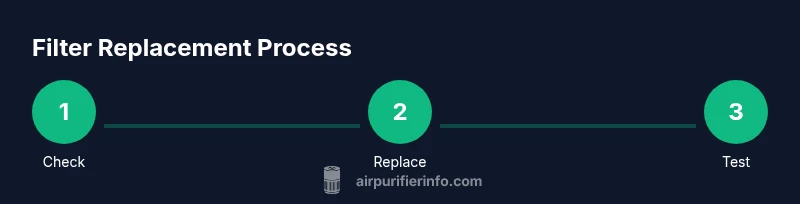
This guide blends practical, hands-on checks with manufacturer guidelines to help homeowners and renters decide when to replace an air purifier filter. Start with the indicator lights, then perform a visual and airflow check, and finally confirm with the manual’s replacement interval. Use a consistent approach every time you assess the purifier to build confidence and maintain air quality. Air Purifier Info’s team aims to equip you with clear steps and sensible expectations, so your purifier continues to deliver clean air in rooms where you spend the most time.
Tools & Materials
- Replacement filter compatible with your purifier model(Check the purifier’s model number and part number in the manual)
- Owner's manual or model-specific guide(Keep handy for orientation and reset steps)
- Soft lint-free cloth(Use for quick exterior cleaning and lining the housing opening)
- Gloves(Recommended for sensitive users or very dusty filters)
- Screwdriver (if your unit uses screws)(Phillips or flat-head depending on model)
Steps
Estimated time: 15-25 minutes
- 1
Power off and unplug
Ensure the purifier is completely powered down and unplugged from the wall to prevent shocks and accidental operation during replacement.
Tip: If the unit sits on a rug or soft surface, move it to a clean area to avoid trapping dust inside. - 2
Open the housing
Gently remove the cover or front panel according to the manual. Some models use latches, others require a light pry with a screwdriver.
Tip: Work over a clean surface to catch any falling dust and avoid bending plastic clips. - 3
Remove the old filter
Carefully pull out the old filter, taking note of its orientation arrows for proper reinstallation.
Tip: If the filter is very dirty, consider placing a bag under it to prevent dust from landing elsewhere. - 4
Inspect and prepare the new filter
Unpack the new filter, check orientation, and remove any protective packaging. Compare with the old filter to ensure correct size and type.
Tip: Don’t reuse the old gasket or seals; replace with new if your model requires it. - 5
Install the new filter
Insert the new filter with the arrows pointing in the direction of airflow, reseal the housing, and secure any latches or screws.
Tip: Double-check the seal around the housing to prevent leaks and maintain filtration efficiency. - 6
Reset indicator and test
Plug the unit back in, reset the replacement indicator per the manual, and run the purifier briefly to ensure air is flowing cleanly.
Tip: If the indicator remains on, revisit the installation to ensure full seating and correct orientation.
Questions & Answers
How often should I replace my air purifier filter?
Replacement timing depends on usage, environment, and the purifier model. Always follow the manufacturer’s guidelines and heed indicator alerts. Regular checks help ensure you replace the filter before filtration declines noticeably.
It depends on how you use it and your environment. Check the indicator and follow the manual to set a replacement cadence.
Can I clean or wash a disposable HEPA filter?
Most disposable HEPA filters should not be washed or cleaned for reuse; washing can damage the filter media and reduce effectiveness. Always replace with a compatible filter.
Generally, disposable HEPA filters aren’t washable. Replace with a model-matching filter for best results.
What if the indicator light stays on after replacement?
If the light remains after replacement, recheck the installation and orientation of the new filter and reseat it properly. Consult the manual for any reset steps specific to your model.
If the light stays on, double-check the filter orientation and reseat it, then perform any required reset steps.
Will replacing the filter improve odors?
Yes. A fresh filter can reduce odors caused by trapped contaminants, especially if your unit also uses a carbon layer for odor removal. If odors persist, consider the room’s sources and overall ventilation.
A new filter often reduces odors, especially with carbon filters into the mix. If odors persist, check ventilation too.
Is there a difference in replacement timing for carbon vs HEPA filters?
Different filter types have different saturation rates depending on usage. Always follow the manufacturer’s guidance for each filter type and prioritize the model’s replacement schedule.
Different filters saturate at different rates—follow the manual’s replacement schedule for each type.
Watch Video
Main Points
- Watch indicators and environment for saturation signals
- Use model-specific filters for safety and performance
- Follow proper replacement steps to maintain airflow
- Schedule regular maintenance to preserve indoor air quality
- Keep filters on hand to minimize downtime