How to Place an Air Purifier in the Living Room
Learn step‑by‑step how to position an air purifier in your living room for maximum filtration of dust, odors, and allergens. Practical placement tips, safety notes, and maintenance guidance from Air Purifier Info.


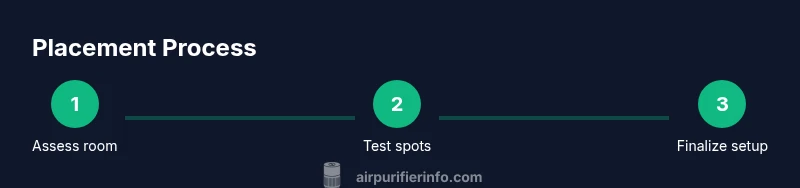
If you’re wondering how to place air purifier in living room, this guide walks you through best spots, clearance, and testing to maximize airflow and filtration. You’ll learn central placement, avoiding obstructions, and how to verify coverage for open layouts and high-traffic areas. By following these steps, you’ll improve indoor air quality efficiently. Air Purifier Info recommends starting with a central, open area and avoiding corners or behind bulky furniture.
Why placement matters
Positioning an air purifier correctly is essential for effective air cleaning in a living room. If you’re asking how to place air purifier in living room, you must consider airflow patterns, room layout, and how people move through the space. According to Air Purifier Info, the purifier needs access to circulating air and should not be blocked by furniture or walls. In open-plan rooms, a central location often provides the most even air exchange, while compact spaces may benefit from a placement that remains in the flow of foot traffic. The goal is to maximize exposure of room air to the filter while preserving a comfortable living environment, so you don’t trip over cords or disturb seating arrangements.
Air Purifier Info’s analysis emphasizes that placement interacts with room shape, occupancy, and activities like cooking or pet time. A thoughtful starting point is the central zone of the living area, where air can radiate outward and reach corners over a few minutes. This helps reduce dust and odors more quickly and can improve perceived air quality for residents who spend many hours in living rooms daily.
Choosing the right purifier for a living room
Living rooms vary in size, furniture layout, and traffic patterns. The right purifier should match the room’s square footage with a suitable Clean Air Delivery Rate (CADR) and a filter type that handles both particulate matter and odors. Air Purifier Info advises translating room size into a target CADR rating so that the purifier can clean the air efficiently without running at full speed constantly. For larger living rooms, consider purifiers with higher CADR and a combination HEPA and activated carbon filter to tackle dust and common odors. In smaller spaces, a compact unit with a robust CADR can still provide meaningful improvement if placed correctly. Pay attention to noise levels during typical evening use so the unit doesn’t disrupt conversations or TV watching while maintaining clean air.
Key placement principles
Adopt principles that consistently improve air movement. Start by avoiding corners and areas blocked by furniture where air can stagnate. Place the purifier in a location that allows air to flow freely from intake to outlet, rather than behind a sofa or between heavy drapes. The purifier should be on a stable surface and away from moisture sources. When in doubt, test with a simple airflow check: turn the unit on and observe whether air from the intake is pulling in air from the room rather than just recirculating a small local area. A little experimentation often reveals the best perch for your purifier within minutes.
Height and distance from walls
Height and wall clearance matter. Many purifiers perform best when they’re not tucked tight against walls or settled on the floor in a closed corner. If your model is designed to sit on the floor, ensure there is space around at least one side and behind the unit to allow air to circulate. If the purifier sits on a table or stand, keep it at a height that places the intake within the breathing zone of occupants while still preventing dust from collecting on the top. Always consult the product manual for the manufacturer’s recommended clearance around the purifier to maintain optimal airflow.
Positioning relative to seating and traffic
In living rooms with high foot traffic, place the purifier where it can clean air without becoming an obstacle. Position it so people can pass by without brushing against it, and orient the intake toward areas where dust and pollutants accumulate (near seating, gatherings, or pet zones). If you frequently use a TV or coffee table, ensure the unit isn’t directly between seating and that activity; instead, place it slightly off to the side where air can circulate through the central seating zone. The intent is to minimize distracted airflow patterns that reduce cleansing efficiency.
Airflow testing and measurement
After you install the purifier, test its impact. Run it at a comfortable setting for several minutes and observe how quickly the room air seems fresher and how much dust accumulates on surfaces. If possible, use simple indicators such as visible dust particles in sunlight or a CO2 monitor to gauge air exchange. Air Purifier Info notes that changes may be subtle at first, especially in large or open spaces, but consistent placement and operation will yield noticeable improvements over time. If you notice stagnation in a specific corner, try relocating the unit a few feet and re-testing.
Placement near doors, windows, HVAC vents
Avoid direct drafts by keeping the purifier away from open doors or windows where incoming air could bypass filtration. Similarly, don’t place it directly next to HVAC returns or exhausts, which can disrupt the purifier’s intake flow. Instead, position the unit in a corridor or central zone where air from multiple areas can mix before passing through the filter. If the living room connects to other spaces, a strategic placement can capture air from doorways as people move between rooms, enhancing overall air quality.
Open floor plans vs. closed spaces
In open floor plans, you may need more than one purifier or a larger unit because air travels further before circulating back to the filter. In compact, closed living rooms, a single appropriately rated purifier placed near the center or in a high-traffic area can deliver excellent results. Air Purifier Info recommends testing coverage by moving the unit to a few candidate spots and assessing air quality indicators or subjective air freshness. The aim is to optimize air turnover without creating noise or visual clutter that interferes with living space aesthetics.
Pets, kids, and safety considerations
People who live with pets or kids should consider safety and stability. Keep purifiers on a stable surface or mounted when appropriate, away from climbing reach or play areas. Ensure that cords are managed to prevent tripping, and that intake grills remain clean and unobstructed by toys or furniture. For households with curious pets, place the purifier where it won’t be knocked over and where airflow remains unimpeded by large objects. Routine maintenance and filter replacement help keep pet dander and odors under control in living spaces.
Power, cords, and surface stability
Choose a location with a convenient power outlet and a stable surface that reduces vibration and tip risk. Avoid outlets that require long, exposed cords across walkways, and route cords along baseboards or behind furniture where they won’t be a tripping hazard. A tidy setup not only reduces clutter but also minimizes accidental unplugging, ensuring continuous filtration. Following best practices for placement, you’ll maximize air cleaning while preserving the room’s comfort and style.
Maintenance after placement
Verification doesn’t end after installation. Regular maintenance includes cleaning the intake and filters according to the manufacturer’s schedule, monitoring a filter indicator if available, and replacing filters when performance declines. Documenting placement and setup in your home care routine helps you remember to service the unit, ensuring consistent air quality. Air Purifier Info highlights that a well-maintained purifier provides reliable performance and longer device life when placed correctly and cared for as directed.
Common mistakes and how to avoid them
Common errors include placing the purifier in a corner, behind large furniture, or too close to walls where airflow is restricted. Another frequent misstep is failing to account for room layout changes, such as rearranging furniture or adding new seating that blocks air pathways. To avoid these issues, start with the manufacturer’s clearance guidelines, test multiple spots if needed, and observe how air quality changes with layout adjustments. Small tweaks can yield meaningful improvements.
Tools & Materials
- Measuring tape(For assessing distance to walls and furniture)
- Notepad and pen(Document candidate locations and observations)
- Sketch of living room layout(Plot furniture and outlets)
- Smartphone or level app(Optional for verifying level surfaces)
- Cleaning cloth(Clear dust from intake grills before use)
- Owner’s manual for purifier(Check recommended clearance and settings)
Steps
Estimated time: 35-60 minutes
- 1
Map the living room layout
Measure the room and sketch furniture placement to understand air flow paths. Identify zones with higher activity and dust generation, such as near entryways or pet areas. This map will guide where the purifier can clean most air efficiently.
Tip: Use a simple grid sketch and label each zone (seating, TV area, open doorway). - 2
Identify candidate central locations
Choose spots that place the purifier near the room’s air exchange center, avoiding corners. Ensure there is at least some clearance from walls and furniture to prevent airflow blockage. If in doubt, start with a central position and prepare to test.
Tip: Aim for a location that would draw air from multiple zones, not just from one seating area. - 3
Check clearance around walls and furniture
Refer to the purifier’s manual for required clearance. Keep the unit from directly touching walls or bulky furniture to minimize recirculation of already-filtered air and to maximize intake flow.
Tip: Mark the spot with sticky notes before final placement to compare multiple options. - 4
Test airflow and adjust orientation
Turn on the purifier and observe air movement around the intake and outlet. If airflow feels restricted, shift the unit a few feet and recheck. Adjust the front panel or grille direction if your model supports it.
Tip: Move the unit to a few candidate spots and compare perceived air freshness after 5–10 minutes each. - 5
Ensure outlet paths are unobstructed
Make sure nearby furniture doesn’t block the purifier’s outlet air. A direct obstruction can reduce filtration efficiency and create uneven air cleaning across the room.
Tip: Clear a 1–2 foot radius around the outlet area where possible. - 6
Set up purifier and configure settings
Plug in the device, select an appropriate speed, and enable any auto-mode features if available. Short-term tests help confirm that the space remains comfortable while achieving effective cleaning.
Tip: Note the noise level at your chosen setting and adjust if it interferes with activities. - 7
Monitor air quality changes
Over the first days, monitor perceived air freshness and any indicator lights or sensors. If you notice stagnant air in certain zones, consider a second purifier or a reconfiguration of furniture to improve circulation.
Tip: Use manual notes to track differences across different times of day. - 8
Finalize placement and maintain routine
Choose the final location based on testing results and keep it there, unless you reshuffle the room. Establish a maintenance schedule for cleaning and filter replacement in line with the manual.
Tip: Keep a maintenance reminder so filters are changed promptly.
Questions & Answers
What is the best distance from walls for an air purifier?
Manufacturer guidelines vary by model, but avoid placing the purifier directly against a wall or in a tight corner. Look for a clear space on multiple sides to allow airflow to reach the intake.
Avoid tight corners and walls; place it where air can circulate freely around the unit.
Can I put an air purifier next to a couch or TV?
Yes, but avoid blocking the intake or outlet with seating or electronics. Position it in the path of air flow so it can clean air from the main seating area.
Position it where air can flow from the seating area toward the purifier, not behind bulky furniture.
Should I place purifier near doors or windows?
Typically avoid placing it directly in drafts. Choose interior spots that still capture air moving through the room from various sources.
Keep it away from direct drafts to ensure air moves through the purifier.
How often should I replace filters?
Follow the model’s manual; filtration needs depend on usage and air quality. Many purifiers indicate when a filter needs replacement or cleaning.
Check the filter indicator and replace per the manual when needed.
Do purifiers work better in open floor plans?
Open layouts typically benefit from stronger air turnover and may require larger or multiple purifiers to achieve even coverage.
Yes, open spaces may need higher-capacity units to cover the air effectively.
What safety considerations matter with kids and pets?
Place purifiers on stable surfaces and keep cords out of reach. Ensure access panels aren’t easily opened by curious children or animals.
Keep the purifier stable and cords tucked away to prevent pulling or tipping.
Watch Video
Main Points
- Identify a central, open location for best coverage.
- Maintain clearances around walls and furniture to maximize airflow.
- Test placement by observing airflow and air freshness.
- Adjust as needed based on room layout and activity.
- Follow maintenance schedules for filters and cleaning.