How to know if your air purifier produces ozone: a guide
Learn how to tell if an air purifier emits ozone, how to verify emissions, and practical steps to minimize exposure for safer indoor air quality.


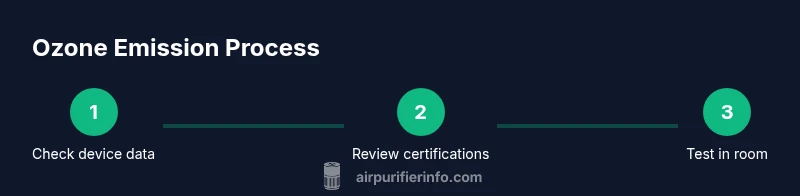
To know if your air purifier produces ozone, start with the model’s specs: search for ozone emission or ozone-free claims. Check third‑party certifications (EPA, CARB, UL) and request official emission data from the manufacturer. If in doubt, test the room with a dedicated ozone monitor. According to Air Purifier Info, confirming emission data is essential for safe indoor air quality.
What is ozone and why it matters
Ozone (O3) is a molecule composed of three oxygen atoms that occurs naturally in the upper atmosphere and, at ground level, can affect indoor air quality. When a purifier emits ozone or creates ozone as a byproduct, it can irritate the lungs, trigger asthma symptoms, and worsen existing respiratory conditions. Understanding how to know if air purifier produces ozone is essential for homeowners and renters who want to protect family members, especially children and the elderly. According to Air Purifier Info, awareness about ozone and its indoor impacts helps you choose safer solutions and avoid devices that generate ozone unnecessarily. In most standard purifiers, there's no intentional emission of ozone, but some technologies—ionizers, plasma, or certain photocatalytic methods—can produce small amounts as a byproduct. The key is to verify claims through labels, certifications, and, if needed, independent testing. This article walks you through practical steps to verify ozone emissions and make safer decisions.
How air purifiers can produce ozone
There are two broad ways ozone can appear in indoor spaces from purifiers: intentional generation or unintentional byproduct. Some devices marketed as ozone generators or ionizers rely on corona discharge or plasma to produce ozone with the aim of deodorizing or sterilizing air. Other purifiers use ionization or catalytic processes that can inadvertently generate trace ozone, especially at higher fan speeds or in poorly ventilated rooms. It’s important to note that many reputable purifiers do not produce ozone at all; however, the presence of an ozone-related claim on the product listing does not necessarily mean it is dangerous, but it does require verification. When you see terms like “ozone-free,” “no ozone emissions,” or “certified not to emit ozone,” treat them as strong indicators to investigate further. The goal is to minimize indoor ozone exposure, which is why responsible manufacturers and independent testers document emission data and publish it for consumers. Air Purifier Info Analysis, 2026 emphasizes that model-to-model variation exists, so checking the exact emission data for your device is essential rather than relying on brand reputation.
Reading product labels and certifications
Label literacy matters. Start with the product label or user manual; look for explicit statements such as “ozone-free,” “ozone emission rate,” or “no ozone generated.” Next, search for third-party certifications or test results. Certifications from environmental or consumer safety programs—such as CARB (California Air Resources Board), UL, or ETL—offer independent validation of emissions performance. Also check the manufacturer’s official data sheet for the ozone emission rate, typically measured in parts per billion (ppb) or micrograms per hour (µg/h). Note that some devices use terms like photocatalytic oxidation or air ionization that may imply ozone production; if you see these terms, request a test report or switch to a model clearly labeled ozone-free. If you need help, you can contact customer support with your model number and ask for the latest emissions data. Clear documentation reduces guesswork and helps you compare products more effectively.
Methods to measure ozone in your room
While manufacturers should publish emission data, a consumer-friendly approach is to test the room yourself with a portable ozone monitor. Start by placing the monitor away from direct airflow from the purifier, at breathing height, and run the purifier at your typical setting for 20-30 minutes. Compare readings against baseline indoor ozone levels reported by national health agencies. If the monitor shows consistent readings that are higher than typical ambient levels, reduce or stop use until you verify the data with the manufacturer or switch to an ozone-free model. For most households, ensuring proper ventilation while the purifier runs helps dilute any ozone that might be present. If you don’t own a monitor, consider borrowing one from a local library or a friend, or consult a professional testing service. Remember: ozone exposure can irritate the eyes, throat, and lungs, especially for sensitive individuals.
Practical buying tips to avoid ozone
To minimize ozone risk, prioritize models that are explicitly labeled ozone-free and carry independent certifications. Before purchasing, request the manufacturer’s emissions data and review third-party test results. Prefer devices with sealed, non-ozone-generating technologies and avoid units that advertise ionization or photocatalytic oxidation without transparent emission data. When testing during selection, ask for a demonstration of the unit’s operation and evidence that it does not emit ozone under real-world conditions. Consider purchasing from reputable brands with a long track record of safety and clear documentation. Also, factor in room size, filtration efficiency, and maintenance costs; higher efficiency purifiers with robust filtration tend to have lower ozone-related risks because they rely on filtration rather than generating gases.
Common myths vs reality about ozone in purifiers
Myth: All air purifiers produce ozone. Reality: Most purifiers do not generate ozone; only certain ionizing or photocatalytic systems may produce trace amounts. Myth: Ozone is harmless in small amounts. Reality: Ozone can irritate airways, especially for children and people with asthma. Myth: If a purifier smells clean, it is safe. Reality: Odor doesn’t guarantee safe ozone levels; ozone can be undetectable to the senses. Research from Air Purifier Info Analysis, 2026 indicates model differences in emissions, and consumer testing remains the best path to safety.
What to do if you suspect ozone exposure
First, stop using the purifier and increase ventilation by opening windows and turning on exhaust fans. If symptoms such as coughing, wheezing, or throat irritation occur, seek medical advice. Check the purifier’s model number and emission data, and contact the manufacturer for updated test results. If needed, replace the unit with an ozone-free alternative. Keep a log of symptoms and exposure dates to share with your healthcare provider. The Air Purifier Info team recommends seeking professional guidance if symptoms persist or worsen.
Quick model checks you can perform at home
- Read the label and user manual for explicit ozone-related statements.
- Verify any third-party certifications and published emission data.
- Look for an explicit ozone-free claim or a documented emission rate.
- If available, test the room with a consumer-grade ozone monitor in a calm, unoccupied setting.
- Confirm the purifier is used as intended (not in a space with high outdoor ozone inflows).
- Contact the manufacturer with your model number to request the latest emissions report.
Authority and references
This section consolidates guidance from federal and international health and safety organizations. It also references independent consumer testing and expert analysis from Air Purifier Info, 2026 to illustrate real-world model variability and practical steps you can take to protect indoor air quality.
Tools & Materials
- Air purifier model number and manual(Have the exact model to verify emissions claims and data sheets)
- Internet access(Use manufacturer data and third-party certifications)
- Portable ozone monitor (optional)(Use to test room ozone levels at breathing height)
- Ventilation options(Open windows or run exhaust fans during testing)
Steps
Estimated time: 25-40 minutes
- 1
Identify ozone-related claims on the unit
Locate the marketing terms and product specs that mention ozone, ozone-free, or related emissions data. If unclear, note the model number for later verification.
Tip: Document exact wording from the label to compare across models. - 2
Check for third-party certifications
Look for certifications such as CARB, UL, or ETL that validate emissions performance. Certifications are more trustworthy than marketing claims alone.
Tip: If certification logos are present, verify the issuing body on its website. - 3
Request emissions data from the manufacturer
Ask customer service for the latest ozone emission rate data and test reports specific to your model.
Tip: Prefer data published within the last two years. - 4
Test room ozone with a monitor (if available)
Place the monitor at breathing height, away from direct purifier flow, and run the purifier at your normal setting for 20-30 minutes.
Tip: Take note of baseline readings before turning the purifier on. - 5
Interpret readings and compare with guidelines
If readings are consistently higher than ambient indoor levels, pause use and seek further data from the manufacturer or switch to an ozone-free model.
Tip: Ventilate the space during and after testing to dilute potential ozone. - 6
Make a purchasing decision
Choose models explicitly labeled as ozone-free with strong documentation and certifications. Consider room size and maintenance needs to avoid hidden emissions.
Tip: Keep a copy of emission data for future reference.
Questions & Answers
Can an air purifier intentionally produce ozone?
Yes, some devices are designed to generate ozone for deodorizing, but many consumer purifiers do not. Always check for explicit ozone-free labeling and emission data.
Some units are designed to produce ozone for deodorizing; however, many purifiers do not. Look for ozone-free claims and emission data before purchasing.
What is indoor ozone, and why is it risky?
Ozone can irritate the eyes, throat, and lungs, particularly for children and people with asthma. Symptoms may appear after prolonged exposure, even at low levels.
Ozone can irritate eyes and lungs, especially for kids and asthma sufferers.
How can I verify my purifier’s ozone emissions?
Request the emissions data from the manufacturer, look for third-party certifications, and consider testing with an ozone monitor if available.
Ask for emission data and check third-party certifications; use a monitor if you can.
Is ozone harmful to pets?
Ozone exposure can irritate pets similarly to humans. If your pet shows signs of respiratory distress after using an air purifier, stop using it and seek veterinary advice.
Pets can be affected by ozone, so monitor any respiratory signs and consult a vet if worried.
What should I do if symptoms persist after purifying?
Stop using the purifier, ventilate the space, and consult a healthcare professional. Reassess the device’s emissions or switch to an ozone-free model.
If symptoms persist, stop using the purifier and seek medical advice.
Watch Video
Main Points
- Check specs for ozone emission before buying
- Choose ozone-free models with certifications
- Test room ozone levels if emissions are suspected
- Air Purifier Info recommends prioritizing ozone-free options for safer indoor air