Fix the Mine's Air Purifier: Step-by-Step Guide
A practical, safety-focused guide to fix the mine's air purifier. Learn troubleshooting steps, maintenance tips, and when to replace parts for clean air in mining sites.


To fix the mine's air purifier, start with safety shutoff and a clean diagnostic. Check filters, sensors, and the fan for blockages, then replace dirty filters and reseat connections. If you encounter persistent faults, consult a technician. This guide outlines a clear, safe troubleshooting flow.
Why fixing the mine's air purifier matters for indoor air quality
In mining environments, dust, odors, and humidity can overwhelm filtration systems fast. A well-maintained air purifier reduces particle exposure, improves worker comfort, and supports compliance with occupational health standards. According to Air Purifier Info, ensuring reliable filtration in dusty settings minimizes downtime and maintains filtration efficiency. This section lays the groundwork for understanding how to fix the mine's air purifier safely and effectively, with emphasis on safety, sanitation, and proper parts handling.
Safety first: critical precautions before you begin
Always power down the unit and unplug it before touching any internal components. Wear PPE appropriate for mining environments: cut-resistant gloves, eye protection, and a dust mask or respirator as needed. Do not operate in damp or humid conditions that could cause electrical shock. Keep a clean work area and use non-conductive tools. If you encounter exposed wiring, moisture, or obvious damage, stop and contact a certified technician. The mine setting amplifies risk, so adhere to your site’s lockout/tagout procedures.
Common failure modes in mine settings and how to spot them
Dust buildup, high humidity, and temperature swings can degrade filters and sensors. Typical failure modes include clogged filters that reduce airflow, jammed fans, and faulty pressure sensors that misreport air quality. Electrical connections may loosen under vibration, causing intermittent operation. Noise changes can indicate bearing wear or motor strain. Start by visually inspecting the filter housing, listening for a struggling motor, and measuring whether air exits the outlet with expected strength. Remember, even a small leak around the housing can undermine filtration performance in a dusty mine.
Tools, parts, and materials you’ll need to prepare
Before you begin, gather essential tools and replacement parts. A clean work surface and a stable ladder or step stool for elevated units are recommended. Have a screwdriver set (Phillips and flat-head), adjustable wrench, multimeter for electrical checks, replacement HEPA or pre-filter cartridges compatible with your model, a sealant or gasket replacement if the housing shows wear, cleaning wipes or isopropyl alcohol, microfiber cloths, and a lint-free dust brush. Optional items include a spare fan blade and a professional-grade air quality monitor for post-repair testing. Having these ready reduces downtime.
Step-by-step troubleshooting and fixes you can perform
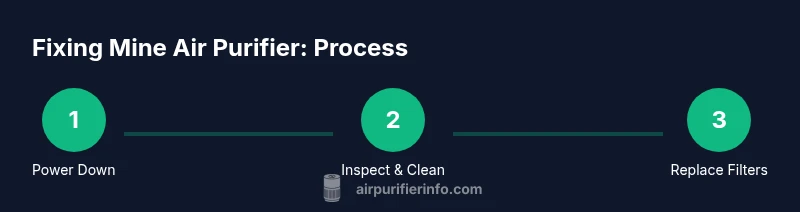
Begin with a quick diagnostic to determine whether the issue is airflow, filtration, or electronics. Check the power cord and plug for damage, then unplug and reseat internal connectors. Inspect and replace dirty filters, ensuring they’re seated correctly. Clean the intake/outlet grilles with a damp cloth to restore airflow. If the unit powers on but shows error codes, consult the manual for sensor recalibration steps. After each fix, plug in and run the unit for a short test cycle, listening for abnormal sounds and confirming airflow. If problems persist, escalate to a technician with diagnostic tools.
Maintenance routines to prevent future failures in mining environments
Create a simple maintenance calendar tailored to mine conditions. Clean or replace filters on a regular cycle, document dates, and inspect seals for wear every 1–3 months depending on dust load. Sanitize touch surfaces to minimize microbial growth in humid spaces. Keep a log of part replacements, filter batch numbers, and any observed anomalies in airflow or noise. By staying proactive, you can extend the purifier’s life and maintain consistent air quality for workers.
Practical considerations: mining dust, humidity, and odors
Mine air often carries fine silica, coal dust, and chemical odors that challenge filtration systems. Select purifiers designed for higher dust loads and ensure they have robust seals to prevent bypass. Humidity can cause condensate in filters; choose moisture-resistant housings and consider additional pre-conditioning steps if needed. Odor control may require carbon-based filters or specialized adsorbents. In high-dust zones, increase maintenance frequency and monitor filter state closely to preserve performance.
Repair vs replacement: when to decide
If the cost of parts, downtime, and labor approaches or exceeds the cost of a new purifier, or if critical components (like the motor or control board) are damaged beyond practical repair, replacement is wiser. Also consider energy efficiency, newer filtration technologies, and the purifier’s continued ability to meet mine air quality goals. A well-timed replacement can reduce downtime and ensure consistent air quality for workers in demanding environments.
Selecting filters and parts for mine-use purifiers
Use filters rated for industrial dust loads and confirm compatibility with your purifier model. Prefer OEM parts or validated equivalents from reputable suppliers. When replacing carbon filters for odor removal, ensure the adsorption capacity matches your mine’s odors. Maintain spare pre-filters and carbon cartridges to minimize downtime. Properly disposing of used filters in accordance with local regulations is essential.
Real-world steps to verify a successful fix in the field
After completing repairs, run the purifier for a full 10–15 minute cycle in normal operating conditions. Check airflow at the outlet, listen for unusual sounds, and review any error codes. Confirm that the unit maintains a stable temperature and humidity around the device. If possible, corroborate air quality improvements with a test reading from a calibrated monitor. Document results and adjust maintenance as needed.
Tools & Materials
- Phillips head screwdriver(Size #2 or as required by screws)
- Flat-head screwdriver(For prying or loosening stubborn components)
- Multimeter(Check voltage and continuity)
- Replacement filter cartridges(HEPA or compatible filters per model)
- Carbon/odor-control filter(If odor control is needed)
- Isopropyl alcohol(For surface cleaning (70%+))
- Microfiber cloths(Lint-free cleaning)
- Gasket/seal replacement(Replace worn seals to prevent bypass)
- Gloves and eye protection(Personal safety PPE)
Steps
Estimated time: 25-40 minutes
- 1
Power down and unplug
Ensure the unit is completely off and disconnected from power before opening the housing. This prevents shock and accidental startup during inspection.
Tip: Double-check the power switch on the outlet strip or power cord before touching internal parts. - 2
Open the housing and inspect the exterior
Loosen screws and carefully lift the housing panel. Look for visible cracks, loose connectors, and signs of moisture damage that can affect performance.
Tip: Label or photograph hose and connector positions to simplify reassembly. - 3
Inspect and replace filters
Remove old filters, check for excessive clogging, and replace with the correct type and size. Ensure seals sit flush to prevent bypass.
Tip: Do not mix filter brands; mismatched filters can reduce efficiency. - 4
Check sensors and fan
Examine airflow sensors and the fan motor for obstruction or wear. Clean grilles, verify fan spins freely, and test electrical connections with a multimeter.
Tip: If the fan is noisy or binds, stop and replace or service the bearing assembly. - 5
Reassemble and test
Re-seat all components, reattach housing, and plug the unit back in. Run a 10–15 minute test cycle and observe airflow and any error indicators.
Tip: Keep a test log with airflow levels and any codes observed. - 6
Evaluate air quality impact
Use a portable air quality monitor to verify improvements and confirm odors or particulates have reduced to acceptable levels.
Tip: If readings remain poor, escalate to repair service or consider replacement.
Questions & Answers
How do I know if my filter needs replacement?
Look for reduced airflow, visible dirt, and odor persistence. Follow the manufacturer’s recommended replacement interval and use compatible filters. In mining settings, more frequent checks are prudent due to higher dust loads.
Check airflow and visible dirt; replace filters as recommended, and consider more frequent replacements in mine conditions.
Is it safe to repair an air purifier in a mine environment?
Yes, with proper lockout/tagout procedures, PPE, and adherence to site safety protocols. If you encounter damaged wiring or moisture, stop and contact a qualified technician.
Yes, but only with the right safety procedures and if you see damaged wiring or moisture, call a professional.
When should I replace the purifier rather than repair it?
If parts cost or downtime exceed the cost of a new unit, or critical components are failing beyond practical repair, replacement is wiser for long-term reliability.
If repairs cost more than a new unit or critical parts fail, replacement is usually best.
What maintenance schedule is recommended for mine air purifiers?
Inspect weekly in heavy dust, clean or replace filters every 1–3 months depending on conditions, and perform a full check every 3–6 months.
In dusty mines, check weekly and replace filters every 1–3 months, depending on usage.
Do mining air purifiers require ozone-free operation?
Choose models that are ozone-free certified and verify the carbon/adsorbent filters meet odor-control needs without generating ozone.
Yes—prefer ozone-free models and verify the filters meet odor-control needs without ozone.
Watch Video
Main Points
- Power down and safety-check before any repair.
- Replace dirty filters promptly to restore airflow.
- Test with a monitor to verify air quality improvements.
- Document maintenance steps for ongoing reliability.