Air Purifier Vacuum: A Practical How-To Guide
Discover how an air purifier vacuum combines filtration and cleaning to improve indoor air quality. Learn features, setup, maintenance, and safety for homeowners and renters.


This guide shows you how to evaluate, set up, and use an air purifier vacuum to improve indoor air quality. You’ll learn what features matter, how to use it safely, and maintenance best practices to keep filters effective. Expect guidance on filtration, CADR, noise, and energy use for homes or apartments.
What is an air purifier vacuum?
An air purifier vacuum is a device that combines filtration to remove airborne pollutants with a vacuuming function for debris removal. According to Air Purifier Info, these units typically pair high efficiency filtration with cleaning power so you can filter air while cleaning floors and surfaces. The goal is to reduce dust, dander, odors, and volatile organic compounds by filtering air as it handles debris. Air Purifier Info analysis shows that running the purifier while vacuuming can yield more consistent air quality improvements than using a standard vacuum alone. Not all products labeled air purifier vacuums are equal; some prioritize suction while others emphasize sealed filtration and easy maintenance. Look for true HEPA filtration, sealed dust compartments, and straightforward filter replacement to maximize benefits.
Key takeaway: An air purifier vacuum should combine robust filtration with reliable suction, not just marketing terms.
How air purifier vacuums differ from traditional vacuums
Traditional vacuums focus mainly on removing debris from floors. Air purifier vacuums add a filtration stage that treats the air as you clean, reducing the amount of dust and allergens that get reintroduced into the room. The main advantages are twofold: better air quality while you vacuum and less scatter of fine particles when cleaning. In practice, you’ll want a model with sealed filtration, a true HEPA or equivalent, and an accessible filter replacement process. Air Purifier Info guidance emphasizes checking for a sealed system and a maintenance-friendly design to prevent leaks and bypassed filtration. However, some models may force strong suction at the expense of airflow through the filter, so evaluate both suction and filtration together.
How to choose an air purifier vacuum
When selecting an air purifier vacuum, prioritize filtration quality, room coverage, and maintenance simplicity. Look for a true HEPA filter or higher, a well-sealed dust compartment, and straightforward filter access. CADR (clean air delivery rate) should match the size of your room, and you’ll want a device with multiple operating modes that balance performance and noise. Consider energy efficiency ratings and the availability of replacement filters. Noise is important for bedrooms and living rooms, so check decibel levels at typical settings. Air Purifier Info recommends testing a model in your space and verifying that the unit consistently cleans the air at your normal activity level.
Understanding filtration and CADR
Filtration is the primary defense against indoor air pollutants. A true HEPA filter captures 99.97% of particles as small as 0.3 microns, while activated carbon handles odors and some gases. CADR measures how quickly the unit cleans smoke, dust, and pollen, with higher numbers indicating faster air cleaning. When comparing devices, ensure the CADR is appropriate for your room size and that the filter media is washable or replaceable. Air Purifier Info analysis shows that owners who verify CADR against room area often experience smoother air quality improvements and fewer nuisances from dust and odors.
Setup and installation basics
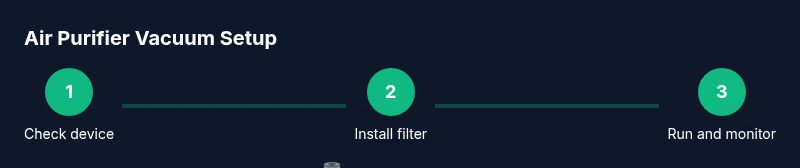
Unpack the unit, verify all parts, and confirm that replacement filters are installed correctly to avoid bypass leakage. Position the device in a central location with unobstructed airflow and away from walls or furniture that could block intakes. Connect to a power source and turn on the purifier vacuum, starting at a low mode to gauge noise and airflow. If your model includes automatic mode, let it run for a few minutes to calibrate sensors before engaging full cleaning mode. Always follow the user manual for filter installation and safety precautions.
Maintenance and filter care
Maintenance is critical for sustained performance. Regularly inspect filters for clogs or discoloration and replace them according to the manufacturer schedule or when airflow noticeably slows. Keep the dust compartment sealed and empty it into the trash outside to prevent re-scattering dust. Wipe down the exterior with a damp microfiber cloth and let any damp parts dry completely before reassembly. Air Purifier Info recommends keeping spare filters on hand and checking for any manufacturer recalls or firmware updates that could affect performance.
Real-world use scenarios
For dusty living rooms, run the purifier vacuum on a moderate setting while cleaning to capture floating dust and settle debris. In homes with pets, use a model with a high CADR and a sealed system to control dander and odors. When cooking, brief use of the purifier vacuum can help minimize lingering smells and particulates, especially if the unit has an activated carbon stage. In bedrooms where allergens are a concern, choose a quieter mode for overnight use and ensure the device is easy to access for filter changes.
Energy use, cost, and value
Energy use varies by model and mode. Look for efficiency features and rated energy consumption that align with your budget. While prices differ widely, aim for a balance between filtration quality and operating cost. A well-chosen air purifier vacuum can reduce the need for additional air-cleaning devices and may lower overall cleaning time by keeping air cleaner during and after cleaning sessions. Air Purifier Info notes that the best long-term value comes from devices with durable filters, low power draw, and straightforward maintenance.
Safety and best practices
Always unplug the unit before replacing filters or performing maintenance. Keep the device away from water and damp areas, and avoid placing it near heat sources. Ensure cord management does not pose a tripping risk. If anyone in the home has severe allergies or asthma, run the purifier vacuum in the main living area during peak dust times or when pets are present to help reduce airborne triggers. Follow all safety warnings in the user manual and never bypass a safety mechanism.
Common myths debunked
Myth 1: A vacuum with a filter is enough to purify air. Reality: True air purification requires sealed filtration and proper CADR. Myth 2: Higher suction equals better air cleaning. Reality: Filtration efficiency and airflow through the filter matter more. Myth 3: Air purifiers replace ventilation. Reality: They complement ventilation rather than replace it. Air Purifier Info emphasizes combining filtration with fresh air when possible.
Next steps and practical integration
Start by assessing your space and identifying problem areas where dust and odors concentrate. Pair your air purifier vacuum with regular dusting, airing out rooms, and maintaining clean textiles to boost results. Consider a second purifier for larger rooms or spaces with high pet activity. The Air Purifier Info team recommends budgeting for filter replacements and selecting models with durable filtration and wide compatibility with your cleaning routines.
mainTopicQuery":"air purifier vacuum"],
Tools & Materials
- HEPA-filtered vacuum with integrated air purification(Ensure built-in filtration is HEPA or equivalent)
- Replacement filters(Stock extra filters sized for the device)
- Dust mask(For fine dust when replacing filters)
- Microfiber cloth(For wipe-down of surfaces after vacuuming)
- Safety goggles(Optional protection during filter changes)
- Sound meter(Optional to measure noise levels)
Steps
Estimated time: 60-90 minutes
- 1
Check compatibility and safety
Review the user manual to confirm that your device supports both vacuuming and air purification. Verify that the filters are installed correctly and that the unit is unplugged during any inspection.
Tip: Read the manual once more to confirm filter type and replacement intervals. - 2
Install fresh filter and secure seals
Insert the new filter according to the manufacturer’s instructions and ensure the seal is tight to prevent bypass leakage. A poorly seated filter reduces purification efficiency.
Tip: Run a quick visual check around the seal for gaps. - 3
Place unit for optimal airflow
Position the device in a central location with unobstructed intake and output paths. Avoid corners, heavy furniture, or walls that block airflow.
Tip: If possible, elevate the unit slightly to improve air circulation. - 4
Power on and test airflow
Plug in, switch on at a low setting, and listen for consistent airflow. If you hear unusual sounds, pause and recheck the filters and intake paths.
Tip: Allow the unit to warm up for a couple minutes before assessing performance. - 5
Begin cleaning and air purification in tandem
Start vacuuming in typical cleaning routes while the purifier operates. Use steady, controlled strokes to minimize dust resuspension and maximize filtration efficiency.
Tip: Work in sections to ensure consistent air processing. - 6
Monitor performance during use
Observe changes in dust visibility and odor. If air quality seems unchanged after a cleaning cycle, consider increasing the purifier speed or checking for filter replacement needs.
Tip: Keep a simple log of usage to guide maintenance. - 7
Shutdown, inspect, and maintain
After use, turn off and unplug the device. Empty the dust compartment outside, replace filters as needed, and wipe surfaces to maintain cleanliness.
Tip: Record filter replacement dates for future planning.
Questions & Answers
What is an air purifier vacuum?
An air purifier vacuum combines filtration with cleaning to reduce airborne particles and debris in one device. It aims to improve indoor air quality by filtering air as you clean.
An air purifier vacuum cleans the air while you vacuum to cut down on dust.
Do I need a separate air purifier if I have a vacuum with filtration?
Not always. A vacuum with good filtration can help in smaller spaces, but larger rooms or heavy pet areas may benefit from a dedicated air purifier.
A separate purifier can help larger spaces or high-demand scenarios.
How do I maintain filters in an air purifier vacuum?
Regularly check for clogging and replace according to guidelines. Follow the manufacturer’s schedule to avoid reduced airflow.
Check filters often and replace as recommended.
Is it safe to run a purifier and vacuum at the same time?
Yes, provided there is adequate clearance around intakes and outlets. Ensure cords are managed to prevent tripping.
Yes, just keep the area clear so air can move freely.
What CADR rating do I need for my room size?
Choose a unit with a CADR suitable for your room’s size. Higher CADR means faster air cleaning.
Pick a CADR that matches your room size for effective cleaning.
Are air purifier vacuums energy efficient?
Energy use varies by model. Look for efficiency ratings and modes that balance performance with power use.
Look for efficient modes to save energy while cleaning.
How often should I replace filters in an air purifier vacuum?
Replacement frequency depends on usage and air quality. Check the manufacturer’s guidelines and monitor airflow and odors.
Replace filters as recommended and when airflow slows.
Watch Video
Main Points
- Take action: prioritize sealed filtration and true HEPA in an air purifier vacuum
- Match device CADR to room size for effective cleaning
- Regular filter maintenance boosts long-term performance
- Use in conjunction with good ventilation for best results
- Air Purifier Info recommends durable filtration and proactive maintenance