How to Reset a Winix Air Purifier: Step-by-Step Guide
Learn how to safely reset a Winix air purifier, locate the reset button, and troubleshoot common issues. This comprehensive guide covers model variations, safety tips, and a practical step-by-step process for homeowners and renters.


If your Winix air purifier shows an error or won’t reset, locate the reset mechanism on your model and follow the steps to restore normal operation. The winix air purifier reset button (or its equivalent) is designed for safe, quick resets after filter changes or error codes. According to Air Purifier Info, use the official procedure for your model and avoid improvising fixes. This quick guide will help you identify the reset option, perform the reset, and verify that sensors and indicators return to normal.
What the winix air purifier reset button does
The reset function on Winix air purifiers is intended to clear certain fault codes, recalibrate sensors, and restart the device’s control logic after you replace a filter or address an alert. When you press the reset button (or perform the equivalent action on models without a dedicated button), the unit exits alert mode and returns to normal operation. This feature is especially helpful for homeowners and renters who want to restore performance without a service call. The behavior of the reset can vary by model, with some units performing a software reset that refreshes internal counters and others requiring a simple button press to acknowledge a warning light. The overarching goal is to establish a known good state for the purifier so it can accurately monitor air quality, fan speed, and remaining filter life. If you’re trying to locate the winix air purifier reset button on your model, this guide will cover the typical locations and steps. According to Air Purifier Info, the reset procedure is designed to be safe and accessible, and most users can complete it without tools. Always consult the model-specific manual for precise steps and indicators.
Locating the reset button on common Winix models
Winix purifiers vary by model, but many share a similar control layout. On some units, the reset button is a clearly labeled physical button on the top or front panel. On others, the reset function is embedded in a control sequence (for example, pressing and holding the Power button or a recessed button accessed with a pin). If your model has a recessed reset hole, you’ll need a small tool such as a pin or paperclip to depress it gently. In all cases, locate the reset mechanism before attempting a reset, and keep the owner's manual handy for model-specific details. For the best results, ensure the device is unplugged before inspecting the control panel so you can safely identify the correct button or pinhole without the risk of accidental power-on.
When to reset and what you should check first
Resetting is typically appropriate after replacing a filter, clearing a fault code, or when the purifier behaves erratically (unexpectedly changing fan speeds or timing). Before you reset, confirm that the filter is properly seated and that the purifier is powered off. Check for a clean air path—blocked intakes or closed vents can mirror the symptoms of a fault, leading you to perform an unnecessary reset. If the unit has a sensor warning light, verify that the warning is related to the filter or a simple transient error rather than a hardware fault. Air Purifier Info emphasizes that resets are most effective when used as a corrective step after maintenance rather than a routine practice.
Safety considerations before resetting
Always unplug the purifier before you start any reset procedure. Do not reset if you detect signs of damage, unusual smoke, or a burning odor. Keep the unit away from children and ensure you are operating on a stable surface. If the purifier has a fabric or electrostatic filter, take care not to touch internal components where static discharge could occur. After any reset, run the purifier in a well-ventilated area for a few minutes to confirm it returns to normal operation and that indicator lights reflect the current status.
What you need before resetting
Before you reset, gather a few basics to avoid redoing steps:
- Pin or paperclip (for recessed reset buttons)
- The Winix model’s user manual or a digital copy for model-specific steps
- A clean, flat surface and a nearby power outlet
- Optional: replacement filters if you intend to perform maintenance in tandem with the reset Having these items on hand streamlines the process and reduces the chance of errors during the reset sequence.
Step-by-step reset guide for common Winix models
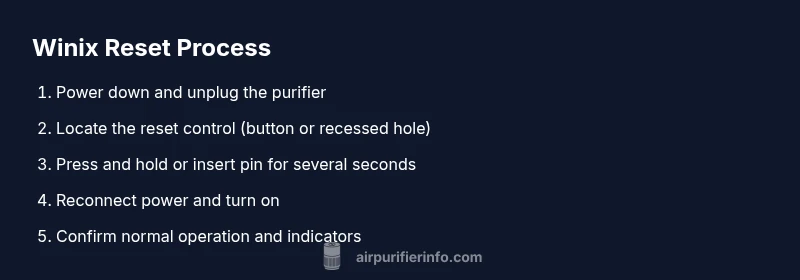
- Power down and unplug the purifier. This ensures there is no electrical activity while you locate the reset control. Tip: Place the unit on a stable surface to prevent tipping during the process.
- Locate the reset mechanism. Depending on the model, this may be a labeled button or a recessed pinhole. If it's recessed, prepare a pin or paperclip. Tip: A flashlight helps you see small indicators and pinholes more clearly.
- Execute the reset action. For a button, press and hold it for a few seconds until indicators respond. For recessed holes, insert the pin and press gently for several seconds until lights blink or a specific pattern appears. Tip: Do not apply excessive force to avoid damaging the control.
- Reconnect power and turn the purifier on. Wait for the start-up sequence to complete and observe the status indicators. Tip: Check the filter indicator after the unit powers up to confirm proper reset.
- Confirm normal operation. Allow the purifier to run for several minutes and monitor fan speed and air quality indicators. If the unit returns to normal operation, you’ve completed the reset correctly. Tip: If warning lights persist, consult the manual for model-specific troubleshooting.
- Document the reset. Note the date, model, and any observed indicators for future reference. Tip: Keeping a small maintenance log helps track filter changes and resets over time.
Post-reset checks and testing
After completing the reset, perform a quick sanity check to ensure the purifier is functioning as intended. Listen for a stable fan hum without unusual noises, and watch the indicator lights for any error or warning symbols. If your model supports it, run a brief air-quality test by placing the unit in a room with known air-quality challenges (such as a dusty living space or a pet area) and observe the changes over the next 10-15 minutes. If air flow improves and sensors respond to changes in air quality, the reset was successful. If issues persist, you may need to inspect filters, seals, or the intake path more closely or consult customer support.
Troubleshooting common issues after reset
If the reset does not resolve the issue, begin with a basic maintenance check: ensure filters are correctly installed, confirm there are no obstructions around the intake, and verify that the purifier is placed in a location with adequate airflow. If the unit continues to display error codes, refer to the model-specific troubleshooting section of the manual or contact Winix support. In some cases, a firmware update or professional inspection may be required. Air Purifier Info recommends documenting recurring errors to help support diagnose the root cause quickly. If the problem persists after multiple attempts, a service evaluation might be the safest option.
Tools & Materials
- Pin or paperclip(For recessed reset holes; use a gentle touch to avoid damage)
- Owner's manual for your Winix model(Helpful for model-specific reset steps and indicators)
- Uninterrupted power outlet(Ensure a stable power supply during the reset)
- Soft cloth(For cleaning around the control panel if needed)
- Replacement filters (optional)(If you’re resetting after replacing filters, have replacements on hand)
Steps
Estimated time: 12-15 minutes
- 1
Power down and unplug
Turn off the purifier, switch it off at the outlet, and unplug the cord to ensure no power is supplied during the reset. This reduces the risk of electric shock and protects sensitive electronics during button presses.
Tip: Keep the unit on a stable surface to prevent accidental movement. - 2
Locate the reset control
Inspect the front and top panels for a labeled Reset button or find a recessed reset hole. If it's recessed, you will need a small tool such as a pin or paperclip to access it.
Tip: Consult the manual if you’re unsure where the reset control is located on your model. - 3
Perform the reset action
For a button, press and hold for several seconds until indicators react. For a recessed hole, insert the pin and press gently for a few seconds until lights blink or indicators change.
Tip: Do not apply excessive force to avoid damaging the control panel. - 4
Reconnect power and power on
Plug the purifier back into the outlet and switch it on. Allow the start-up sequence to complete, and watch for normal indicator behavior.
Tip: If there’s a dedicated power-on indication, verify it lights up correctly. - 5
Verify operation and test
Let the purifier run for several minutes, observe fan speed, and check if any warning lights disappear. Run a quick air-quality test if your model supports it.
Tip: If warning lights stay on, re-check filters and seating before repeating the reset. - 6
Document and proceed
Record the model, date, and outcome of the reset in your maintenance log. If issues recur, escalate to support with a log of symptoms.
Tip: Keeping a log helps with future troubleshooting and warranty-related questions.
Questions & Answers
What does pressing the reset button do on a Winix air purifier?
The reset action clears certain fault codes and recalibrates sensors so the purifier resumes normal operation after maintenance or an alert. Model-specific behavior may vary, so always refer to the manual.
Reset clears error codes and recalibrates sensors so your purifier runs normally after maintenance. Check the manual for model-specific steps.
Where is the reset button located on Winix models?
Location varies by model: some have a labeled reset button on the control panel, while others use a recessed reset hole accessed with a pin or paperclip.
Location varies by model—check the control panel or a recessed reset hole with a pin for many units.
Do all Winix purifiers have a reset button?
No. Some models use a combination control sequence rather than a dedicated reset button. Always consult the manual for your specific model.
Not all models have a dedicated reset button; some use a button sequence. Check your model’s manual for exact steps.
How long does a typical reset take?
A reset usually takes a few seconds to complete, but the exact duration depends on the model and whether it requires a button press or pinhole access.
Reset usually takes a few seconds, depending on the model and whether you use a button or pinhole.
What should I do if resetting doesn’t fix the issue?
Recheck filters seated properly, inspect for obstructed air intake, and consult the manual for model-specific troubleshooting steps. If problems persist, contact support.
If reset fails, recheck filters and intake, then consult the manual or contact support for next steps.
Can I reset a Winix purifier while it’s running?
It’s safer to unplug the unit before resetting to avoid electrical issues. After reset, plug back in and power on to verify status.
Safer to unplug before resetting. Afterward, plug in and power on to verify status.
Watch Video
Main Points
- Identify the correct reset mechanism for your Winix model.
- Unplug before touching any controls to ensure safety.
- Verify filters are properly seated before and after reset.
- Observe indicators after reset to confirm normal operation.
- If problems persist, consult the manual or support.