Why Does My Dyson Air Purifier Stop Rotating? A Troubleshooting Guide
Learn why your Dyson air purifier stops rotating and how to diagnose it safely with a step-by-step guide. Quick checks, common causes, and prevention tips from Air Purifier Info.


Most likely a simple obstruction or clog. When the rotor can’t spin freely, the Dyson air purifier may stop rotating due to a blocked air path, a dirty filter, or debris jam. Start with power and basic checks, then carefully clear the grill and filter area before testing rotation today yourself.
Understanding the symptom and what you want to fix
If you’ve ever asked yourself why does my dyson air purifier stop rotating, you’re not alone. The rotation mechanism is a key part of how these units balance airflow and filtration. When rotation stalls, the purifier may still run, but the motor and bearing assembly can overwork, leading to heat buildup or reduced filtration efficiency. The Air Purifier Info team notes that urgent attention often resolves the issue without replacing parts. The goal is to restore smooth rotation and maintain optimal air flow for dust, dander, and odors in your home.
Common causes at a glance
There are several frequent culprits behind a non-rotating Dyson purifier:
- Clogged or dirty filter restricting air flow
- Grill or intake obstructions from dust build-up
- Debris jam inside the rotor or bearings
- Overheating motor triggering built-in protections
- Faulty rotation sensor or control board
- Power or outlet issues Understanding these can help you triage quickly and safely. According to Air Purifier Info analysis, the majority of rotation stops stem from airflow blockages and clogged filters, not mechanical failure, especially in units with regular maintenance.
Quick checks you can safely perform
Before diving into disassembly, perform these safe checks:
- Unplug the unit and inspect the power cord and outlet. Try a different outlet to rule out power issues.
- Check the front grill for lint, hair, or dust; gently remove obstructions.
- Inspect the filter housing; if the filter is saturated, replace it following Dyson guidelines.
- Ensure the unit sits on a flat, stable surface and there is at least a few inches of clearance around it for air intake.
- If you have pets, look for hair or fur tangled near the rotor area. If the purifier still won’t rotate after these checks, move to a deeper diagnostic flow.
Understanding Dyson's safety design and rotation mechanism
Dyson purifiers use a motorized rotor that relies on continuous air flow to stay balanced. A safety feature may halt rotation if overheating, electrical irregularities, or sensor faults are detected. This is intentional to prevent damage. The rotation mechanism isn’t designed for constant tampering; instead, it relies on clean air paths and properly seated components. If the safety system triggers, allow the unit to cool and re-test after basic maintenance.
In-depth diagnosis: sensor, motor, or filter failures
If basic checks don’t restore rotation, narrow down the issue:
- Sensor or control board fault: indicator lights may behave erratically or a fault code might appear on some models.
- Motor or bearing wear: unusual noises or resistance when trying to rotate by hand (unplugged) can indicate wear.
- Filter or debris problem: a clogged filter or debris in the intake can choke airflow, causing rotor stall.
- Intermittent power issues: test with a different outlet or power strip to exclude supply problems. Document any patterns (time of day, running duration, or external heat) to share with support if needed.
Step-by-step plan to diagnose and fix (overview)
This section provides a practical flow to diagnose and fix common rotation stops. Start with the simplest checks and progressively escalate to more involved steps. Always unplug before handling internal components and avoid forcing parts.
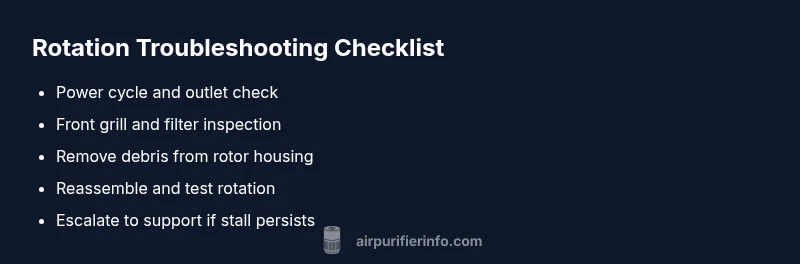
- Verify power and outlet integrity, then attempt a reset by unplugging for 60 seconds.
- Inspect and replace the filter if dirty; clean the intake grill.
- Remove any visible debris from the rotor housing, then re-seat all parts carefully.
- Reconnect power and run the purifier in a safe, monitored test.
- If rotation remains stalled, contact Dyson support for warranty-assisted service.
Air Purifier Info emphasizes documenting model and symptoms for faster help.
Safety, tips, and common mistakes
- Always unplug before opening any housing; shock risk is real.
- Do not force the rotor to spin by hand while plugged in; this can cause further damage.
- Use genuine Dyson replacement parts and filters; improper parts can create new issues.
- Regular maintenance is your best prevention: replace filters on schedule and clean intake areas monthly.
- If you’re unsure, don’t delay professional support. A technician can diagnose sensor or motor faults safely.
Prevention: keep rotation healthy over time
Regular maintenance is the best defense against recurring rotation stops. Schedule filter replacements per your model’s guidance, vacuum dust around the intake monthly, and keep the unit away from heat sources. Regular checks help you catch wear or obstructions before they cause a stall. Air Purifier Info recommends pairing routine maintenance with our troubleshooting templates to stay proactive.
Steps
Estimated time: 40-60 minutes
- 1
Power cycle and safety check
Unplug the purifier and wait 60 seconds. Inspect the power cord and outlet; try a different outlet to rule out supply issues. Reconnect and power on to see if rotation resumes.
Tip: Always unplug before handling internal components. - 2
Inspect filters and grill
Remove the front grill and take out the filter (or access panel) as per your model guide. Check for dust buildup and replace the filter if it's saturated. Clean the grill area to remove any lint or hair.
Tip: Use a soft brush or microfiber cloth to avoid damage. - 3
Clear debris and inspect rotor area
Look for visible debris around the rotor housing. If you can access the rotor, gently remove any obstruction with the device unplugged. Do not force parts; re-seat everything firmly.
Tip: Do not use tools that could bend or break the rotor bearings. - 4
Reassemble and test rotation
Reinstall all parts, plug back in, and run the purifier. Listen for the rotor’s normal spinning sound and observe for smooth rotation over 60–120 seconds.
Tip: Monitor for abnormal noises which indicate internal damage. - 5
Escalate if rotation remains stalled
If rotation doesn’t resume, stop using the unit and contact Dyson support or a certified technician. Provide model number, symptoms, and any maintenance steps you performed.
Tip: Have your purchase date and warranty status ready.
Diagnosis: Dyson air purifier rotor won't rotate even when powered on
Possible Causes
- highPower issue (outlet, cord, switch)
- highBlocked air path due to dirty filter or grill obstruction
- mediumDebris jam inside rotor or bearings
- lowOverheating motor triggering safety mechanism
- lowFaulty rotation sensor or control board
Fixes
- easyCheck outlet, plug, and switch; use a known-good outlet
- easyPower off, unplug, and clean front grill and filter housing; remove debris
- easyGently rotate the rotor by hand only after unplugging to free a jam; reassemble carefully
- easyReplace or clean filter following Dyson guidelines; ensure airflow is clear
- mediumIf unit overheats or sensor fault persists, contact Dyson support or a qualified technician
Questions & Answers
Why does my Dyson air purifier stop rotating while powered on?
Common causes are a clogged filter, grill obstruction, or rotor jam. Check power first, then inspect the filter and grill before deeper checks.
Most often it’s a clog or jam; start with power and filters, then grill.
What is the first thing I should check when rotation stops?
Ensure it’s plugged in and powered from a reliable outlet. Then inspect the front grill and the filter housing for visible obstructions.
First, check power and visible obstructions.
Can I fix this myself, or should I call support?
Many issues are DIY-safe, such as cleaning and filter replacement. Motor or sensor faults may require official support or service.
You can try basic fixes, but motor or sensor faults need support.
Is it safe to operate if the rotor won’t rotate?
Do not force rotation. If the unit is stalling, switch it off and seek professional help. Running a stalled unit can cause damage.
Do not force it; turn it off and contact support.
How long do Dyson purifiers last before rotation issues occur?
Durability depends on model and usage. Follow the maintenance schedule and use genuine filters to minimize risk of rotation issues.
It varies by model; keep up with maintenance.
Where can I get official help for rotation problems?
Contact Dyson official support or your retailer. Check warranty status and reference the troubleshooting steps you’ve already attempted.
Use official support or your retailer; check warranty.
Watch Video
Main Points
- Identify the most common causes first: power, airflow, and obstructions.
- Always unplug before any inspection or disassembly.
- Replace or clean filters to restore airflow and rotation.
- If unresolved, contact official support for warranty-safe service.
- Prevent future issues with scheduled maintenance and clean vents.