Why Your Air Purifier Turns Red at Night: Troubleshooting Guide
Discover the common reasons your air purifier turns red at night, how to troubleshoot quickly, replace filters, and regain calm, clean air while you sleep. A practical guide from Air Purifier Info for homeowners and renters.


The red night indicator on most air purifiers signals a maintenance alert or elevated air pollution. Start by checking the filter and seals, confirm the unit is in normal operating mode (not in night mode), and reset the indicator. If the light remains red, consult the manual or Air Purifier Info for model-specific guidance and verify vents are unobstructed.
Why does my air purifier turn red at night
If you’re living with an air purifier, you might notice the display turning red after sunset. The question why does my air purifier turn red at night is a common concern for homeowners and renters who want to ensure a good night’s sleep with clean air. According to Air Purifier Info, red indicators at night are typically safety or maintenance signals rather than catastrophic failures. The root causes can include a dirty or overdue filter, elevated nighttime air pollutants from cooking or candles, or a mode misconfiguration that triggers a protective alert. Recognizing these cues is essential because in many cases a simple maintenance action or setting adjustment can restore quiet operation and a healthier sleeping environment. The Air Purifier Info team emphasizes addressing red alerts promptly to preserve filtration performance overnight.
Common causes of a red night indicator
Red night indicators are usually multi-factor signals. Common causes include a dirty or overdue filter that restricts airflow, an indicator triggered by night mode or display settings, elevated indoor pollutants from recent cooking or smoking, or a temporary fault code caused by a power hiccup. In some models, a red light may also indicate overheating protection or a blocked intake. Air Purifier Info notes that understanding the exact LED pattern for your model is crucial, since meanings can vary by brand and series. If you see red consistently at night, start with the simplest fixes (filter and reset) before moving to more involved checks. Keeping a steady, clean airflow is essential for better sleep quality and long-term device health.
Check the filter and seals
One of the most frequent culprits behind a red indicator is a clogged or overdue filter. A dirty filter blocks airflow and can trigger protective alerts. Start by turning off and unplugging the unit, then remove the filter to inspect for heavy dust, hair, or debris. If the filter looks dirty or darkened, replace it with the recommended type and size. Also inspect the door seals and gasket around the filter area for gaps or wear. A poor seal can allow polluted air to bypass filtration, which may trigger a red indicator even if the filter is new. After replacement, reassemble the purifier, reset any fault codes, and run it on a normal setting to confirm the light behavior.
Assess indoor air quality and pollution sources
Nighttime air quality can spike from various sources such as cooking, candles, outside smoke, or high pet dander. If the purifier turns red at night, assess your recent activities and nearby air sources. Close kitchen doors, extinguish candles, and pull curtains away from vents to avoid obstructed intake. Also consider whether there are activities nearby that release VOCs or fine particles. If you notice multiple sources of pollution, a temporary air-quality surge can cause the red indicator even with a fresh filter. In such cases, run the purifier on higher fan speeds or switch to a mode that prioritizes air cleaning over quiet operation to keep the air safe while you sleep.
Night mode, brightness, and display interactions
Many units have a night mode or dimmed display designed for restful sleep. Some models use a red indicator to show that a safety feature or alert is active while in night mode. Check your user manual for night-mode behavior: some purifiers automatically trigger red alerts when a sensor detects elevated pollutants, while others simply lower the display brightness. If your model supports it, adjust brightness or temporarily disable certain alerts to see if the red light persists when air quality is acceptable. Air Purifier Info recommends documenting the exact sequence of lights and codes to compare with the manual.
Power supply, outlets, and overheating safety features
Power issues can mimic red alert behavior. A loose plug, a surge, or an unstable outlet can cause brief faults that trigger a red light. Check that the purifier is firmly plugged into a grounded outlet, and try a different outlet if possible. Overheating protection is another safety layer: if the unit feels hot to the touch or if the airflow is significantly reduced, the red indicator may be a warning. Ensure there is at least several inches of clearance around all sides for proper ventilation, and do not place the purifier in an enclosed cabinet or tight corner where heat and dust can accumulate. If you suspect a power-related fault, consult the manual or contact support before continuing use.
When to replace filters and parts
As a general rule, replace filters according to the manufacturer’s schedule and your usage. If red alerts persist after a fresh filter and reset, it may indicate a more persistent airflow issue or sensor fault. Some models require sensor calibration after filter changes. If the red light returns within a day or two, consider a deeper check for air leaks and seals, or a professional service to ensure there isn’t a deeper electrical fault. Air Purifier Info recommends logging maintenance activities to discern patterns that precede red alerts.
Resetting the indicator and validating fixes
After completing the inspection and any replacements, reset the purifier according to the user manual. This often involves holding the reset button for several seconds or selecting the reset option in the app if your model includes one. Power cycle the unit (unplug, wait 10–30 seconds, plug back in) to clear transient faults. Then run a test cycle in a standard mode for 15–20 minutes and observe whether the red indicator reappears. If the light stays off during normal operation and the air quality reading improves, you have likely resolved the issue. If not, proceed to model-specific troubleshooting with the manual or customer support.
Ongoing maintenance to prevent false alerts
Preventing false red alerts hinges on consistent maintenance and mindful operation. Schedule regular filter checks every 1–3 months, depending on usage and household conditions, and replace filters promptly when performance drops. Keep the purifier away from walls, avoid air-blocking furniture, and maintain clean surroundings to reduce dust buildup. Air Purifier Info emphasizes keeping a clean intake area and performing a quick monthly dusting of the grill and nearby surfaces. Establish a simple maintenance ritual so you can sleep soundly with reliable air purification.
Steps
Estimated time: 15-25 minutes
- 1
Power off and unplug
Turn off the unit and unplug it to ensure safe inspection. This prevents accidental startup while you check components. Remove any nearby objects that could obstruct airflow.
Tip: Use a soft brush or microfiber cloth to wipe dust from the grill while unplugged. - 2
Inspect and replace the filter
Open the front panel and inspect the filter for visible dirt, clumping dust, or discoloration. If it looks dirty, replace it with a compatible filter per the model’s specs. Recycle the old filter if appropriate.
Tip: Keep a spare filter on hand to minimize downtime. - 3
Check seals and housing
Look for gaps around the filter tray or housing that could allow unfiltered air to bypass filtration. Tighten latches and replace any worn seals. A poor seal can trigger red alerts even with a new filter.
Tip: Gently wipe seals with a damp cloth to remove oils or dust. - 4
Reset fault codes and power cycle
Reassemble the purifier and plug it back in. Hold the reset button or use the app to clear fault codes, then power cycle the unit by unplugging for 10–30 seconds and plugging back in.
Tip: If your model uses an app, consider a firmware check for updates. - 5
Test run in standard mode
Run the purifier in a normal operation mode for 15–20 minutes and observe the indicator. If the red light returns, record the pattern and note any environmental changes.
Tip: Avoid simultaneous cooking or smoking near the purifier during testing. - 6
Review night-mode settings
If your model has night mode, confirm it is configured correctly and not in a state that triggers a red alert. Temporarily disable it to test whether the red light persists during normal operation.
Tip: Some models require a separate confirmation to exit night mode. - 7
Check power and ventilation
Ensure the purifier is on a stable outlet and has a few inches of clearance on all sides. A poor power connection or restricted airflow can mimic red-alert conditions.
Tip: Plug into a different outlet if you suspect a faulty circuit.
Diagnosis: Air purifier turns red at night
Possible Causes
- highDirty or overdue filter reducing airflow
- mediumNight mode or display settings triggering alerts
- highElevated indoor pollutants from cooking, candles, or outdoor smoke
- lowOverheating protection or a temporary electrical fault
Fixes
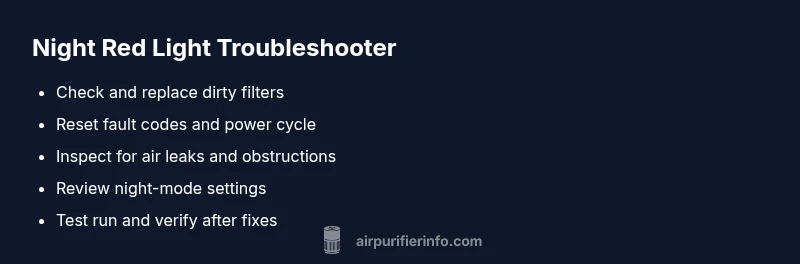
- easyCheck and replace the filter if dirty or overdue
- easyReset the purifier and clear fault codes
- easyInspect for obstructions and ensure proper ventilation
- easyReview night-mode settings and brightness; adjust or disable alerts if appropriate
Questions & Answers
What does a red light on my air purifier mean at night?
A red light at night typically signals a maintenance or safety alert, such as a dirty filter, blocked air intake, or a sensor fault. Start with basic checks: filter replacement if needed, reset the unit, and review night-mode settings. If the red light persists, consult the manual or Air Purifier Info for model-specific guidance.
A red light usually means a maintenance or safety alert. Check the filter, reset, and review night settings; if it stays on, see your manual or Air Purifier Info for model-specific steps.
Should I unplug the purifier when the red light is on?
Unplugging is not always required. Start with safer steps like inspecting the filter and resetting the unit. If the red light remains, consult the manual or support. Unplugging during a reset can interrupt essential safety checks, so follow the manufacturer’s guidance.
Unplugging isn’t always necessary; follow the manual. If the red light won’t clear, contact support.
How often should I replace the filter to stop red alerts?
Replace filters according to the manufacturer’s schedule and your usage. If a red alert persists after replacement, look for other causes like poor seals or environmental pollutants. Keeping up with replacements is key to consistent performance.
Change filters as recommended; if red alerts continue, check seals and air sources.
Can night mode cause a red indicator?
Yes, some models flag red indicators when night mode is active or misconfigured. Check the night-mode settings in the manual and adjust as needed. If the red light persists despite correct settings, seek model-specific guidance.
Night mode can trigger red alerts on some models; adjust settings or check the manual.
What if the red light stays after basic fixes?
If red persists after a filter change and reset, there may be a deeper airflow or sensor issue. Inspect for air leaks and ensure no obstructions. Contact support for a diagnostic, especially if the unit is still under warranty.
If it stays after fixes, there might be a sensor issue; check for leaks and contact support.
Is it safe to continue using it with a red light?
If red alerts persist, don’t rely on the purifier until it’s checked. Continuous red alerts can indicate unsafe conditions or malfunction. Turn off the unit if you notice unusual smells, excessive heat, or abnormal noises and seek professional help.
Don’t keep using it if the red light stays; seek professional help if safety concerns arise.
Watch Video
Main Points
- Inspect and replace filters promptly to restore airflow
- Never ignore persistent red alerts after basic checks
- Night-mode can trigger alerts; verify settings
- Maintain clear intake and unobstructed airflow around the unit
- Document maintenance steps for quick future fixes