What to Do with Air Purifiers: A Practical Guide for Homes
Learn what to do with air purifiers to boost indoor air quality. This educational guide covers selection, placement, maintenance, and daily use for homeowners and renters.


To maximize air quality, choose a purifier sized for your room, place it in an open, central location away from walls, and run it continuously or during pollution peaks. Replace filters on schedule, and pair operation with regular cleaning and ventilation. For renters, seek models with adaptable placement and affordable filters.
How an air purifier works and what it does
If you're wondering what to do with air purifier, start by understanding how it works. A typical purifier combines a high-efficiency filter (HEPA) with activated carbon to capture dust, pollen, pet dander, odors, and some smoke particulates. The core idea is simple: air moves through the filter media, particles get trapped, and cleaner air is released back into the room. Some models include electronic sensors or smart features that adjust speed based on air quality. Remember, purifiers do not create clean air in a sealed space by magic; they reduce contaminants when used as part of a broader cleaning routine and good ventilation.
For most homes, a purifier that uses a true HEPA-style filter plus activated carbon offers the broadest coverage for common indoor pollutants. HEPA filters excel at removing fine particles, while carbon filters address gases and odors. In practice, this combination is effective for dust, pollen, pet dander, cooking smells, and smoke residues. Understanding these basics helps you decide what to do with air purifier as you plan placement, maintenance, and daily use. Air Purifier Info emphasizes choosing a unit whose filtration stack matches your primary air quality concerns and room size, then maintaining it through a regular schedule.
Determine the right purifier for your space
Choosing the right purifier starts with room size, typical activities, and your air-quality goals. Look for a model whose filtration system is rated to handle the room you intend to purify; bigger rooms require units with higher air-cleaning capacity and proper venting. Consider noise tolerance, energy use, and filter availability in your region. If allergies or asthma are a concern, prioritize units with strong particle removal and reliable replacement filters. Real-world performance depends on consistent operation, not just the initial purchase. Air Purifier Info notes that matching filtration capacity to room size makes a meaningful difference in daily comfort and cleanliness, especially during peak pollen seasons or when cooking odors linger.
Placement and setup for maximum effectiveness
Placement matters as much as the purifier itself. Position the unit in a central location with unobstructed airflow, ideally away from walls, furniture, and curtains that could block intake or exhaust. Elevating the purifier off the floor—such as on a low table—can improve airflow in larger rooms. If possible, keep doors open to allow air to circulate, and avoid placing units behind heavy fabrics or inside closets. For multi-room homes, prioritize living areas or bedrooms where people spend the most time. Air Purifier Info highlights that consistent, unobstructed operation yields the best results when you’re figuring out what to do with air purifier in daily life.
Filter types and replacement schedules
Most households benefit from a combination filter: a true HEPA filter to trap particles and an activated carbon filter to address odors and gases. Some models add a pre-filter to capture larger particles and extend the life of the main filter. Replacement timing varies with usage and environment but generally depends on how often you run the purifier, whether you have pets, and how dusty your space is. Always follow the manufacturer’s recommendations and use genuine replacement filters when possible. Air Purifier Info stresses that using the correct filter type and keeping a ready supply can significantly affect ongoing performance and cost of ownership.
Maintenance routines and smart features
Maintenance is the quiet engine behind a purifier’s long-term effectiveness. Regularly inspect filters for visible wear or clogging, clean any pre-filters, and replace main filters on schedule. Some purifiers feature indicator lights or apps that alert you when a filter needs changing. If your model has smart sensors, enable them and run periodic manual checks to verify readings align with visible air quality. Scheduling maintenance reduces the risk of reduced airflow and ensures the device continues to perform as intended over months and years. Regular upkeep is a key step in answering what to do with air purifier and maintaining a healthier home.
Operating tips for different environments
Bedrooms, living rooms, and kitchens each have unique air-quality challenges. In bedrooms, run the purifier at a quiet setting for overnight comfort, and ensure the unit doesn’t directly blow on your head while sleeping. In kitchens, use higher speeds during cooking and keep the unit in a location where vents aren’t blocked by cabinets. In homes with pets or smokers, increase the unit’s activity during peak times and rely on carbon filtration to reduce odors. Monitoring room usage helps tailor operation without wasting energy or overexerting the device. Air Purifier Info advises residents to adapt placement and settings to their daily routines for consistent results.
Common mistakes and how to avoid them
Common errors include placing purifiers in corners, blocking intakes with furniture, running units only sporadically, or neglecting filter changes. Avoid relying on a single purifier for an entire large home; instead, use appropriately sized units in the rooms you spend the most time in. Never run a purifier with a damaged filter or when the device shows signs of malfunction. Regular maintenance and thoughtful placement prevent inefficiency and extend the life of your purifier, making it a dependable ally in improving indoor air quality.
Integrating an air purifier into your daily life
An air purifier works best as part of a broader indoor air strategy. Keep windows closed during high outdoor pollution or pollen events and use ventilation when outdoor air quality is good. Combine purifier use with routine cleaning (dusting, vacuuming with a HEPA-filter vacuum, and washing fabrics) and humidity control to reduce the overall load of airborne pollutants. Set up a simple calendar to remind you to check the filters and inspect the unit’s performance. Over time, you’ll notice fewer irritants and a more comfortable living environment, which aligns with what to do with air purifier for optimal home air quality.
Tools & Materials
- Air purifier unit(Ensure it is sized for the room; check CADR/room size compatibility.)
- Replacement filters(Have spares on hand based on model’s replacement schedule.)
- Power outlet(Accessible outlet; avoid overloading circuits.)
- Owner's manual(Helpful for model-specific steps and indicators.)
- Measuring tape(Useful for planning placement away from walls.)
- Notebook or smartphone(Track filter changes and air-quality readings.)
Steps
Estimated time: 2 hours
- 1
Unbox and inspect the purifier
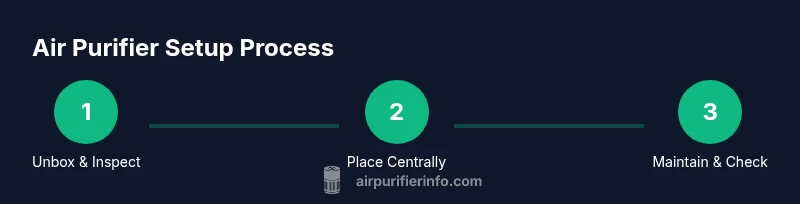
Remove packaging carefully and check for any shipping damage. Verify that all parts are present, including filters. Read the manual to confirm orientation of components before setup.
Tip: Keep the manual handy; it will guide filter orientation and indicator meanings. - 2
Choose a central placement
Place the purifier in a central, unobstructed location with ample space around all sides. Avoid corners and avoid blocking air intake or exhaust vents. Elevate it slightly if possible to improve airflow in larger rooms.
Tip: Aim for at least a few inches of clearance from walls and furniture. - 3
Plug in and power up
Connect to a readily accessible outlet and turn the unit on. Select a mode—Auto or Manual—that balances purification with noise levels and energy use according to your preference.
Tip: If your model has an Auto mode, it will adjust to air quality levels automatically. - 4
Check and replace filters as needed
If the device indicates a filter change or if you notice reduced airflow, replace the filters following the manufacturer’s guidance. Always use genuine replacement filters when possible.
Tip: Keep a spare filter on hand to reduce downtime. - 5
Run it for an initial period
Allow the purifier to operate for a dedicated initial period (e.g., a few hours) to refresh the air, especially after moving the unit or during a heavy odor event.
Tip: During initial setup, keep doors closed to help the unit work efficiently. - 6
Monitor performance and adjust
If your purifier includes a display or indicator, monitor the readings and adjust speed or mode to maintain comfort. Consider pairing with natural ventilation when outdoor air quality is good.
Tip: Use the lowest comfortable setting when noise is a concern at night. - 7
Schedule regular maintenance
Create a simple maintenance calendar to remind you of filter changes, cleaning pre-filters, and any firmware or app updates. Regular upkeep preserves performance and prolongs unit life.
Tip: Set recurring reminders in your phone or calendar. - 8
Integrate into daily routines
Treat the purifier as part of a broader cleaning plan: vacuum with a HEPA-filter vacuum, wash textiles, and control humidity to reduce particle load.
Tip: Pair purifier use with routine cleaning for best results.
Questions & Answers
How do I know if my air purifier is the right size for a room?
Check the unit’s filtration capacity relative to the room size and choose a model designed for that space. An appropriately sized purifier cleans the air more efficiently and maintains comfort levels better than an undersized unit.
Choose a purifier rated for your room size to ensure effective air cleaning.
How often should I replace the filters?
Follow the manufacturer’s schedule and pay attention to any indicator lights. In dusty or pet-heavy homes, filters may need replacement more frequently.
Replace filters as recommended by the manufacturer or when the indicator signals.
Can I leave windows open while using an air purifier?
Air purifiers are most effective in sealed or semi-sealed spaces. Opening windows can reduce their effectiveness by letting outdoor pollutants in. Use ventilation when outdoor air quality is good.
Open windows only when outdoor air is clean and purifier use is supplemental.
Do air purifiers remove viruses?
Purifiers can reduce airborne particles, including some that carry viruses, but they are not a substitute for medical guidance or other infection-control measures.
They help reduce particles, but aren’t a medical device.
What maintenance tasks should I schedule?
Inspect and replace filters on schedule, clean pre-filters if applicable, and check indicator lights. Keep a maintenance log for reminders.
Set reminders for filter changes and routine cleaning.
Are ozone-free purifiers safer?
Yes. Choose models labeled ozone-free to avoid potential irritation from ozone emissions.
Opt for ozone-free purifiers to protect indoor air quality.
Watch Video
Main Points
- Choose a purifier sized for your space.
- Position it for open airflow and minimal obstructions.
- Run it consistently and maintain filters on schedule.
- Monitor air quality and adapt settings as needed.
- Pair purification with good ventilation and regular cleaning.