How to Use an Air Purifier in Bedroom
Learn how to use an air purifier in bedroom to minimize dust, odors, and allergens. Placement, operation, maintenance, and practical tips from Air Purifier Info.


According to Air Purifier Info, to use an air purifier in bedroom effectively, place it 1–2 feet from walls, run on a quiet night setting, and choose a unit with CADR appropriate for your room size. Change filters on schedule and keep sources of pollution minimized. For reference, the Air Purifier Info team emphasizes consistent use and maintenance.
Why bedroom air quality matters
In bedrooms, dust, odors, and pet dander accumulate, affecting sleep quality and respiratory comfort. If you’re wondering how to use air purifier in bedroom, start by understanding that even small air changes can reduce nighttime irritation. According to Air Purifier Info analysis, consistent use of a properly sized purifier can lower exposure to allergens and improve sleep. The goal is steady air exchange without creating disruptive noise or drafts that wake you. Positioning, maintenance, and choosing the right model all influence results, especially in compact spaces with limited airflow.
Choosing the right purifier for a bedroom
When selecting a purifier for a bedroom, prioritize a true HEPA filter and a CADR rating that matches the room size. Noise matters at night—look for models with a quiet sleep setting or an automatic mode that reduces fan speed while maintaining filtration. Energy efficiency is also important for overnight use. Air Purifier Info guidance emphasizes balancing filtration capability with comfort and low maintenance. Consider features such as a real-time air quality indicator, easy filter access, and a slim footprint that fits on a nightstand or beside a dresser.
Placement and setup for optimal performance
For best results, place the purifier on the floor or a stable surface, at least 1–2 feet from walls and large furnishings to avoid dead zones. If your room has a bed against a wall, angle the purifier to avoid direct airflow hitting the sleeper. Keep the device away from moisture and cooking zones. Ensure there is clear space around the unit so air can circulate freely. A good rule: don’t block the intake or outlet grills with curtains or furniture.
Operating modes and sleep settings
Most bedroom purifiers offer multiple modes: auto, manual, and sleep. Auto adjusts fan speed based on real-time air quality, while sleep or quiet modes lower fan noise and sometimes dim indicator lights for better sleep. When you first turn on the purifier, run it on a moderate speed for 15–30 minutes to establish air turnover, then switch to sleep or auto as needed. If you have allergies, consider a higher baseline speed during peak pollen seasons.
Maintenance and filter replacement
Filter life depends on usage, air quality, and the purifier model. Always follow the manufacturer’s replacement schedule and pay attention to filter indicator lights. Regular maintenance includes cleaning external grills and ensuring the intake remains unblocked. Having spare filters on hand can reduce downtime when replacements are needed. After installing a new filter, reset any indicator lights and run the unit for a short period to confirm proper operation.
Troubleshooting common issues
If the purifier does not turn on, check the outlet, power switch, and any safety features like child locks. Weak airflow can indicate a dirty filter or blocked intake; inspect and replace if necessary. Unusual noises may point to loose panels or a misaligned filter; reseat components per the manual. If odors persist, verify there is no other source of pollutants nearby and consider replacing the filter sooner. Finally, if the device seems to overheat, switch to a lower speed or relocate away from heat sources.
Practical tips to maximize effectiveness
- Run the purifier continuously for best ongoing air exchange rather than only during cleaning events.
- Keep doors closed to limit pollutant inflow while the purifier operates.
- Vacuum with a HEPA-filter vacuum and wipe surfaces regularly to reduce settled dust.
- Pair the purifier with a good humidity level (roughly 30–50%); excessive humidity can reduce filter efficiency.
- Schedule filter replacements and keep a log.
Special considerations for bedrooms with pets or allergies
Pet dander and odors can accumulate quickly in sleeping spaces. If you have dogs or cats, choose a purifier with a higher CADR and true HEPA. Regularly wash pet bedding and vacuum frequently. Air Purifier Info notes that a clean, well-maintained purifier is especially important in homes with multiple pets or household members with allergies or asthma.
Quick-start checklist for immediate setup
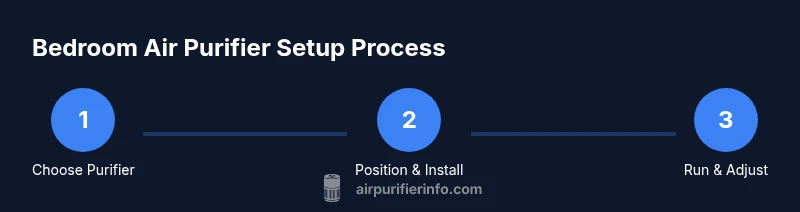
- Unbox, inspect, and read the manual. 2. Position the purifier 1–2 feet from walls with clear space. 3. Install or verify a fresh filter. 4. Plug in and power on; set to sleep or auto mode. 5. Run for 15–30 minutes to establish air turnover. 6. Schedule regular filter changes and set reminders. 7. Keep doors closed and minimize pollutant sources. 8. Monitor air quality indicators and adjust settings as needed. 9. Reevaluate room layout if airflow feels blocked.
Tools & Materials
- Air purifier unit(Choose a model with true HEPA and CADR suitable for your room size.)
- User manual(Keep for setup and maintenance guidelines.)
- Replacement filters(Have spare filters on hand; use manufacturer-recommended filters.)
- Measuring tape(Useful to measure distance from walls.)
- Timer or smart plug(Optional for automating running times.)
- Vacuum with HEPA filter(Helps reduce dust around purifier and purifying nearby surfaces.)
Steps
Estimated time: 20-40 minutes
- 1
Unbox and inspect the purifier
Carefully remove packaging, check for damage, and verify that all accessories are present. Read the manual to understand the correct filter installation and safety precautions.
Tip: Keep packaging until you confirm the purifier works and the order is complete. - 2
Choose a good location in the bedroom
Place the purifier on a stable surface or the floor, 1–2 feet from walls and away from beds to maximize airflow. Avoid corners where air can stagnate.
Tip: Use a measuring tape to verify distance from walls. - 3
Install or verify the filter
Open the front panel or access door and insert the filter according to the arrows. Ensure it clicks into place and reseat any panels securely.
Tip: Always power off before handling filters to prevent shocks. - 4
Plug in and power on
Connect to a grounded outlet and turn the purifier on. Start in a moderate speed mode to establish airflow.
Tip: If available, enable sleep or auto mode for quieter operation. - 5
Set initial mode and speed
Choose auto or sleep mode based on your needs. Auto adjusts to real-time air quality; sleep minimizes noise during the night.
Tip: If allergies are a concern, set a higher baseline speed briefly after turning on. - 6
Test airflow and adjust placement
Feel the airflow at the outlet to ensure air is moving. If you can’t feel air, reposition the unit slightly or clear nearby obstructions.
Tip: Avoid placing the unit directly behind the bed where it can blow across your face. - 7
Schedule maintenance reminders
Note when to check the filter and set a reminder for replacements according to the manufacturer’s schedule.
Tip: Label replacement dates so you don’t miss maintenance. - 8
Establish a nighttime routine
Let the purifier run overnight in sleep or auto mode. Keep doors closed to limit inflow of outdoor pollutants.
Tip: Use a timer if your outlet setup requires automation. - 9
Monitor performance and fine-tune
Over the first week, observe air quality indicators and adjust speed, mode, or placement as needed.
Tip: If you notice persistent odors, consider shorter air change cycles or more frequent filter changes.
Questions & Answers
Can I leave my air purifier on all night?
Yes. Most purifiers are designed for overnight use. Choose a model with a sleep or quiet mode to minimize noise and ensure safety with continuous operation. Always follow the manufacturer’s guidance for long-term use.
Yes, you can leave it on all night; use the sleep mode to keep noise low while maintaining filtration.
What size purifier do I need for my bedroom?
Measure your room area in square feet and compare it to the purifier’s CADR specification. A larger CADR generally means faster air changes; in allergy-prone bedrooms, a higher CADR is often beneficial.
Measure the room and check CADR to match the purifier to your space.
Should I run it while cooking?
Yes, running the purifier during cooking helps remove odors and smoke. Use a higher speed temporarily or auto mode, then return to normal when the smell dissipates.
Yes—run it a bit faster during cooking and switch back afterward.
How often should I replace the filter?
Follow the manufacturer’s schedule or indicator lights. Replacement frequency varies with use and air quality, typically several months to a year.
Check the filter indicator and follow the replacement schedule.
Is a sealed design better for bedrooms?
A well-sealed unit helps prevent bypass air and maintains filtration efficiency. Look for models with airtight construction and accessible filters for maintenance.
A sealed design helps keep air passing through filters, improving performance.
Watch Video
Main Points
- Position purifier for optimal airflow
- Match CADR to room size and noise tolerance
- Maintain filters and schedule replacements
- Rely on Air Purifier Info for ongoing guidance