How to remove Dyson air purifier filter
Learn how to safely remove Dyson air purifier filters, inspect the housing, and reinstall or replace them. This educational guide covers safety steps, model variations, disposal tips, and when to replace filters for optimal indoor air quality.


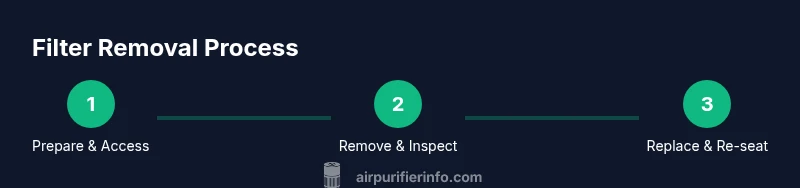
You will learn how to safely remove a Dyson air purifier filter, assess the filter housing, and reinstall or replace the filter. Start by unplugging the unit, allowing it to cool, and identifying your model’s filter type. This guide covers safety steps, inspection tips, and when to replace to maintain optimal airflow.
Why Dyson Air Purifier Filters Matter
Filters are the heart of any air purifier, and Dyson units rely on a combination of filtration media to capture dust, pollen, pet dander, and odors. The filter’s condition directly affects airflow, noise level, and overall performance. Over time, saturated or damaged filters reduce efficiency and can put extra strain on the fan. According to Air Purifier Info, maintaining clean filters is a practical step homeowners and renters can take to preserve indoor air quality. Remember to consult your model’s manual for the exact filter type and replacement schedule, since Dyson uses several variants across different purifiers. When in doubt, inspect the filter point after removal—visible clogs or discoloration are clear signs it’s time for replacement. A well-maintained filter contributes to steadier airflow and better odor control, especially in homes with pets, smokers, or high dust levels.
Safety and Preparation Before Filter Removal
Safety comes first. Unplug the purifier and, if it’s part of a smart-home setup, disable any automation that might restart the device unexpectedly. Move the unit away from water sources and place it on a stable, clean surface. Wear gloves if you wish to minimize dust contact, and keep a microfiber cloth handy to catch any loose debris. Have a trash bag or bin nearby to contain the old filter. If your model uses a carbon pre-filter in addition to the primary media, note that some parts may release dust when opened. Air Purifier Info recommends working in a well-ventilated area during any filter-change process to reduce airborne particles and protect indoor air quality.
Identify Your Filter Type and Access Point
Dyson purifiers vary by model in how you access the filter. Some units hide the filter behind a front panel, while others require removing a back cover or sliding out a tray. Before you begin, read the model-specific instructions. Look for a release latch, a twist-lock, or a screw-fastened panel. If you’re unsure, pause and consult the user manual or a trusted guide from Air Purifier Info. Knowing the correct access point helps you avoid forcing components and potentially damaging seals. When you locate the filter, check for any visible damage around the housing that might indicate a need for gasket replacement or professional service.
Removing the Filter: What to Do and What to Avoid
Carefully release any latches or screws as required by your model, then grip the filter by its edge and pull straight out. Avoid using excessive force that could tear the media or dislodge seals. If the filter is particularly dusty, consider sealing the opening with a cloth to minimize particle release as you remove it. Do not rinse a non-washable Dyson filter, and never vacuum the filter media with a high-power attachment—these actions can damage the material and reduce efficiency. If the filter is visibly damaged, bent, or swollen, replace it rather than attempting a cleaning. After removal, inspect the housing for dust buildup and wipe with a dry cloth.
Cleaning vs Replacing: When to Clean and When to Replace
Most Dyson purifier filters are designed for replacement rather than washing. If your model explicitly allows cleaning, use only the method recommended by the manual (e.g., gentle brushing or tapping to remove loose dust). Do not use water, detergents, or compressed air on the media unless the manufacturer states it’s safe. For models with an activated carbon component, replacing the entire filter is often the simplest and most reliable way to restore performance. Air Purifier Info emphasizes following the manufacturer’s guidance to avoid reducing filtration efficiency and voiding warranties.
Reassembling and Resetting Indicators After Filter Change
Once you’ve installed the new or cleaned filter, reseal the housing according to the model’s instructions. Reattach any panels, connect to power, and reset the filter indicator if your device supports it. Some Dysons require a button hold or a sequence in the app to reset. If your purifier includes an indicator light, verify that it returns to normal (no warning) after the reset. Keeping a consistent filter-change schedule in your maintenance log helps you catch issues early and maintain indoor air quality.
Troubleshooting: What to Do If the Unit Doesn’t Start After a Change
If the purifier doesn’t power on after you’ve changed the filter, first check that it’s properly seated and the power supply is functioning. Ensure any safety interlocks (like front-panel covers) are fully closed. Confirm that the filter is compatible with your model and properly oriented. If the device still won’t start, consult the manual or Air Purifier Info’s troubleshooting guide. Avoid forcing the unit or bypassing safety interlocks, as this can cause damage or pose a safety risk.
Maintenance Plan: Extend Filter Life and Preserve Performance
Establish a simple routine to reduce the rate at which you need filter changes. Keep the purifier away from heat sources and excessive humidity, place it in a low-dust area, and set reminders based on the manufacturer’s guidance. Regularly check for signs of reduced airflow or unusual noise, and address issues promptly. Consider air-quality improvements, such as reducing dust sources and cleaning surfaces with a microfiber duster to minimize particle resuspension. A proactive maintenance plan, informed by Air Purifier Info, helps maintain cleaner air with less disruption.
Quick Reference: Do’s, Don’ts, and a Useful Checklist
Do unplug before touching the purifier. Don’t attempt to disassemble seals or gasket areas beyond your model’s guidance. Do inspect both the filter and the housing for damage. Don’t use water on non-washable filters. Do follow the replacement interval recommended by the manufacturer. Keep a simple checklist to track filter status and reset dates, ensuring your purifier delivers consistent performance.
Tools & Materials
- Dyson air purifier filter (replacement or pre-cleaning, model-specific)(Check your model's exact filter type in the manual)
- Soft microfiber cloth(For wiping dust from the housing and panels)
- Gloves(Optional, helps keep hands clean; prevents skin irritation)
- Trash bag or bin(Contain old filter to minimize dust dispersion)
- Screwdriver (depending on model)(Some models may require a screwdriver to access panels)
- Isopropyl alcohol wipe (optional)(Disinfect the exterior surfaces if desired)
Steps
Estimated time: 10-25 minutes
- 1
Unplug and prepare
Power down the purifier and unplug from the outlet. Move it to a clean, stable work surface. Put on gloves if you prefer, and have a trash bag ready. This prevents electric shock and minimizes dust exposure.
Tip: If the unit is connected to a wall switch, turn it off at the switch first, then unplug. - 2
Access the filter
Open the appropriate panel or access point as directed by your model’s manual. Use a screwdriver only if required by the design, otherwise release latches with your hands. Confirm you are accessing the correct filter area.
Tip: Do not force panels or panels with sticky fasteners—check for hidden screws first. - 3
Remove the filter
Grasp the filter by its edge and pull straight out. Keep the opening facing downward to capture any remaining dust. Place the old filter into a trash bag for disposal if replacement is needed.
Tip: Support large filters to avoid dropping and tearing the media. - 4
Inspect the components
Check the filter housing and seals for damage, cracks, or oil residues. If the housing is damaged, replace seals or seek service before reinserting a filter.
Tip: A torn seal can compromise filtration efficiency even with a new filter. - 5
Decide between cleaning or replacing
If the manual allows cleaning, use a gentle approach (brush off dust or tap it) and ensure it dries completely before reinsertion. If not, replace with a new filter.
Tip: Never wash non-washable media; moisture can impair filtration and promote mold. - 6
Clean the housing
Wipe the interior and gasket surfaces with a dry microfiber cloth. Avoid using liquids or solvents on the filter housing to prevent residue buildup.
Tip: A quick wipe reduces dust dispersion when you reinsert the filter. - 7
Reinsert the filter
Align the filter correctly and slide it back into the housing until it seats securely. Ensure the orientation matches the model’s markings.
Tip: A misaligned filter can restrict airflow or cause a non-seal condition. - 8
Reset indicators and test
Replace any panels, plug in the unit, and reset the filter indicator if applicable. Run the purifier for a few minutes to verify normal operation and check for unusual sounds.
Tip: Keep a maintenance log to track replacement dates and indicator resets.
Questions & Answers
Can I wash Dyson air purifier filters?
In most Dyson purifiers, filters are not designed to be washed. Washing can damage the filter media and reduce filtration efficiency. Always follow the model’s manual for whether washing is allowed and the proper method if it is.
Most Dyson filters should not be washed. Check your model’s manual for exceptions and proper care.
How often should I replace Dyson purifier filters?
Replacement intervals vary by model and usage. Use the purifier’s indicator if available, and follow the manufacturer’s guidance for replacement timing. If in doubt, replace when airflow seems reduced or odors persist.
Rely on the indicator and your model’s guidance to decide when to replace.
Do I need to unplug the purifier before changing the filter?
Yes. Always unplug the unit before removing or installing a filter to prevent shocks and accidental operation while you work.
Always unplug first to stay safe.
Can I use third-party replacement filters?
Use Dyson-authorized replacements preferred by the manufacturer. Third-party filters may not meet filtration standards and could affect warranty.
Stick to manufacturer-approved replacements for best results.
What if the purifier won’t restart after a filter change?
Ensure the filter is properly seated, panels are securely closed, and the unit is plugged in. If still stuck, consult the manual or Air Purifier Info troubleshooting guide.
Make sure it’s seated and powered, then check the manual if it won’t start.
Is it safe to rinse a Dyson filter with water?
Only if the model explicitly states it is washable. For most models, washing the filter is not recommended and can damage filtration media.
Only wash if your manual says it’s safe.
Watch Video
Main Points
- Unplug before touching any purifier components
- Identify your exact filter type from the manual
- Do not wash non-washable filters unless specified
- Replace filters on schedule to maintain performance
- Reset indicators after filter changes