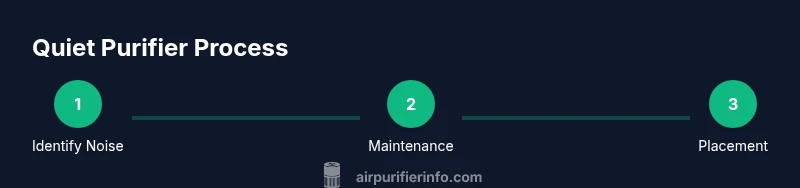
How to Make Air Purifier Quieter
A comprehensive guide to reduce noise from air purifiers through maintenance, placement, and model considerations for peaceful indoor air.


Goal: Learn practical, proven steps to make a typical room air purifier quieter without sacrificing air quality. You’ll identify common noise sources, optimize placement, tune fan modes, and perform essential maintenance that reduces vibration and whine. Before you begin, know your purifier model’s fan speeds, filter status, and your room’s layout to choose the right tweaks.
Common Noise Sources in Air Purifiers
If you’re wondering how to make air purifier quieter, start by identifying the loudest components. Most common noise comes from the axial fan spinning at high speed, the motor housing vibrating against the chassis, the intake grill, or turbulent airflow as air moves through clogged filters. A noisy purifier can also result from loose screws, a worn bearing, or a unit that sits directly against a hard surface. By isolating each source, you can target the right fix rather than guessing.
Consider the following clues: a constant high-pitched whine usually points to a bearing or motor resonance; a whooshing or throbbing sound often comes from airflow hitting an obstacle; a clicking or rattling noise may indicate loose screws or a misaligned panel. When you know where the noise originates, you can plan effective steps to reduce it and preserve air quality. Remember, the goal is not to silence the purifier entirely but to bring it to a comfortable, unobtrusive volume while maintaining filtration efficiency.
Design and Home Environment Factors
Noise is not created in a vacuum. The purifier’s design, the room’s acoustics, and how the unit sits relative to walls and soft furnishings all shape how loud it sounds. A compact purifier with a small fan can still feel loud if it sits on a hard floor with little cushioning. Conversely, a larger unit placed on a carpeted surface with space around it can feel quieter due to reduced vibrations and more diffused airflow.
According to Air Purifier Info, the acoustic environment matters as much as the purifier itself. Soft furnishings like rugs, curtains, and furniture absorb sound, while hard surfaces reflect it. Glancing at the room’s layout, you may discover that moving the purifier a few inches away from a wall or into a corner with a rug can noticeably dampen the perceived volume. The choice of location can be as effective as swapping to a quieter model.
Practical Strategies to Reduce Noise
This section covers practical steps you can implement today. Start with maintenance: clean the filter housing and fan blades to remove dust that can cause imbalance and vibration. Inspect screws and mounts; tighten any that are loose and reseat panels to stop rattling. Use a microfiber cloth or a gentle brush to wipe away dust from grilles and vents. If your purifier has a night or quiet mode, enable it to reduce fan speed and avoid sudden surges in airflow.
Placement matters: lift the unit off the floor with a small pad or anti-vibration feet to minimize surface transmission. Position it with at least several inches of clearance from walls and furniture to improve airflow and reduce recirculation noise. Use soft pads under the base to dampen vibration, and angle the exhaust slightly away from hard surfaces to prevent echo. If you want to optimize further, pair these measures with a model whose noise-reduction features align with your room’s size and use.
Adjusting Fan Speed and Modes Safely
Many purifiers offer Auto, Eco, or Night modes designed to balance air quality with noise. If you’re aiming for quieter operation, start by testing Night or Eco modes as your baseline, then compare with standard high-speed modes. Avoid running at maximum speed in occupied, small rooms for extended periods unless you genuinely need maximum air turnover. Always consult the user manual before disabling safety interlocks or lubricating internal components.
Note: Sudden changes in airflow can stress internal parts, so change modes gradually and observe for abnormal sounds or vibrations over a short period.
Maintenance That Impacts Noise
Dust and clogged filters are common culprits behind rising noise levels. Regularly clean pre-filters and remove trapped debris from vents. If your purifier uses washable parts, soak and rinse them according to the manufacturer’s instructions; dry completely before reassembly. Replace filters as recommended by the maker, since a clogged filter not only harms performance but can also increase motor load and noise. Keep the exterior clean to prevent dust buildup on the motor housing and fan.
Placement and Room Acoustics
Sound travels differently depending on where you place the purifier. Elevating the unit off the floor, using carpet runners or anti-vibration feet, and keeping it several inches from walls can dramatically soften noise by reducing vibration transfer and improving air separation. If possible, position the purifier in a corner with soft furniture nearby to help absorb sound waves. A light rug or curtain can further dampen reflections and create a calmer soundscape in living rooms or bedrooms.
When to Consider Upgrading to a Quieter Model
If you’ve exhausted maintenance, placement, and mode adjustments without achieving satisfactory quiet, it may be time to consider a quieter model. Look for a unit with a smaller, more efficient fan, better acoustic insulation, and a lower default noise level in its specifications. Compare models by their sound power ratings and user reviews focused on real-world noise performance. A model tailored for bedrooms or living rooms often prioritizes quiet operation without compromising air quality.
Verdict
When how to make air purifier quieter is the goal, combine targeted maintenance, smart placement, and appropriate mode use. In most homes, you can achieve noticeable quiet without sacrificing filtration. If persistent noise remains, a thoughtfully chosen newer model can deliver quieter operation and better comfort. The overall approach should balance air quality needs with a peaceful home environment.
Tools & Materials
- Phillips head screwdriver #2(For removing filter housing screws and access panels)
- Soft microfiber cloth(Dust and wipe fan blades, grills, and housing)
- Compressed air can or soft brush(Carefully remove dust from vents and internal crevices)
- Replacement filters (if applicable)(Have on hand if the manual recommends replacement to restore performance)
- Anti-vibration pads or feet(Place under purifier to dampen surface vibration)
- Measuring tape(Useful to ensure recommended clearance from walls)
Steps
Estimated time: 30-45 minutes
- 1
Identify the source of noise
Listen for whether the noise is a high-pitched whine, a whoosh, or a rattling sound. Gently move the purifier away from walls to see if volume changes, and note when the noise changes with mode or speed. This step defines the fix path.
Tip: Use the night mode first to gauge quiet baseline without fully altering settings. - 2
Clean and tighten
Unplug the unit, remove the filter housing, and wipe all accessible surfaces. Tighten any loose screws and reseat panels to prevent rattling. Clean the fan blades and grills to remove dust that causes imbalance.
Tip: Take photos before disassembly to ensure correct reassembly. - 3
Reposition for acoustics
Move the purifier away from walls and place on a soft pad or rug to reduce vibration transmission. Ensure several inches of clearance around all sides for airflow. If possible, angle the exhaust away from hard surfaces to minimize echo.
Tip: Angle the outlet to avoid direct reflections off hard furniture or walls. - 4
Test modes and adjust
Switch between Auto, Eco, Night, and standard modes to compare noise levels while keeping air quality acceptable. Start with the lowest setting that maintains adequate purification, then gradually test higher speeds as needed.
Tip: Document which mode offers best balance for your room size. - 5
Decide if upgrade is needed
If the unit remains loud after maintenance and placement tweaks, review specifications for a quieter model in the same or larger size category. Compare sound ratings, motor design (brushless often quieter), and user reviews focused on real-world noise.
Tip: Prioritize real-world noise feedback over advertised specs.
Questions & Answers
What is considered a quiet level for an air purifier?
Quiet levels vary by model, but look for solid user reports of low-volume operation in typical room conditions. Compare the unit’s sound rating in product specs and check reviews for real-world performance.
Quiet levels depend on the model; check the product specs and user reviews for real-world performance.
Can a larger purifier be quieter than a smaller one?
Yes, larger purifiers often move air more efficiently at lower speeds, which can reduce noise. However, consider room size compatibility and noise ratings before choosing.
Larger purifiers can be quieter if properly matched to room size.
Does cleaning the purifier reduce noise?
Regular cleaning prevents dust buildup that can cause imbalance and rattling. Keeping grilles and fans clear helps maintain smoother operation and lower noise.
Yes, cleaning can reduce noise caused by dust buildup.
Is it safe to run Night mode all night?
Night mode reduces fan speed to minimize noise, but ensure air quality remains acceptable for overnight use. If you have allergies or a high pollutant load, monitor daytime performance too.
Night mode reduces noise; monitor air quality to ensure it stays adequate.
Will anti-vibration pads make a noticeable difference?
Yes. Anti-vibration pads reduce contact noise and surface resonance, especially on hard floors. They’re inexpensive and easy to install.
Pads can noticeably cut surface noise and vibrational rattles.
Should I upgrade if noise remains high after tweaks?
If tweaks don’t lower noise, consider a model with better acoustic design or a different size class. Compare consumer reviews focused on noise alongside air-quality performance.
If tweaks fail, upgrading to a quieter model may be the best option.
Watch Video
Main Points
- Identify the noise source first.
- Maintenance and placement have big impact.
- Use quiet modes and avoid overworking the fan.
- Upgrade only when necessary for sustained quiet.