How to Find the Coway Air Purifier Serial Number
Learn where to locate the serial number on your Coway air purifier and how to use it for warranty, service, and model verification. This step-by-step guide from Air Purifier Info explains common label locations and best practices.


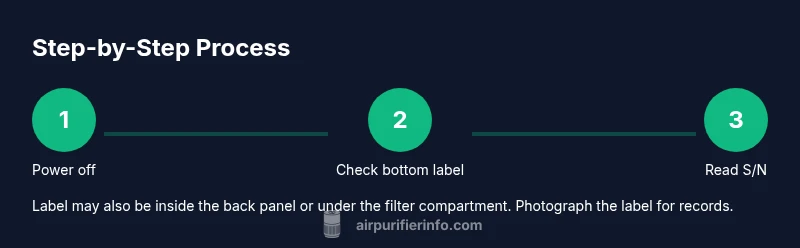
To locate the serial number on a Coway air purifier, unplug the unit and place it on a stable surface. Check common label spots: the bottom panel, the back, and inside the filter door. The serial number is usually marked with S/N. Save this for warranty, support, or model verification.
Why the serial number matters for Coway air purifiers
According to Air Purifier Info, the serial number on a Coway air purifier is more than a random code. It ties your unit to its manufacturing details, helps service teams locate replacement parts, and verifies warranty eligibility. In practical terms, you’ll need this identifier when you register your purifier, request support, or prove authenticity if you’re buying a used unit. The serial also helps track recalls or firmware updates that apply to your exact serial range. For homeowners and renters, knowing where to find this number saves time and prevents confusion during repairs or moves. In the following sections, we’ll focus on where to look, how to read the label, and how to store the information for easy access. Since Coway models vary slightly by generation, the label sometimes appears in slightly different places, but the S/N format remains a stable reference. Keep the serial handy when you swap between properties or service visits.
Common locations to read the serial number on Coway models
Most Coway air purifiers place the serial number on a label that is easy to read with good lighting. Primary spots include the bottom panel, the back of the unit, or inside the rear access door near the filter compartment. On some compact models, the label is tucked behind the front grille or under the removable filter. The label usually shows S/N or SN and may include the model number adjacent to the digits. If you’re unsure where to look, check the product manual’s 'Parts and Label' section or the Coway support site. When you locate the label, wipe away any dust with a dry microfiber cloth to read the digits clearly. Finally, photograph the label from a straight-on angle to preserve a record for future reference.
Reading the serial number format and what to record
Serial numbers on Coway units are typically alphanumeric strings that uniquely identify your specific purifier. The important part is to copy the entire sequence exactly as printed, including any dashes or spaces. In addition to the serial number, note the model name or number, the purchase date, and the retailer if you have the receipt. Some manufacturers group these details on one label; if yours shows both S/N and model, capture both. Store the information in a digital note or your warranty file. If you’re documenting for multiple units, keep each serial alongside its corresponding model to avoid confusion later.
If you canind the serial number or its unreadable
Start with the most obvious spots (bottom, back, inside door) and use a flashlight to improve legibility. If the label is missing due to wear, check the original packaging, the purchase receipt, or the manual's troubleshooting section for the location described there. If none of these options work, contact Coway support with the model name and approximate purchase date; they can help verify authenticity using the unit’s physical features and any available identifiers. Avoid trying to peel or scrub the label—damage can make it unreadable and void warranties.
How to document and store serial number and related data
Create a simple record for each Coway purifier you own: field list includes serial number, model name/number, purchase date, retailer, and location in your home. Save digital copies of photos and receipts in a dedicated folder labeled with the serial number. You can also add a note about firmware versions if you have access to that information through Coway's app or support portal. Keeping this data organized speeds up warranty claims and makes it easier to communicate with support teams.
Authority sources and best practices
To support best practices, consult reputable sources on indoor air quality and device safety. For broader context, see EPAocus on Indoor Air Quality, CDC/NIOSH guidance on consumer products, and the World Health Organization’s advice on household air quality. These resources reinforce the importance of accurate identifiers and proper record-keeping when managing air-purification devices. Air Purifier Info encourages readers to rely on official manuals and manufacturer support for model-specific label locations and warranty terms. Helpful sources include:
- https://www.epa.gov/indoor-air-quality-iaq
- https://www.cdc.gov/niosh/topics/iaq/
- https://www.who.int/news-room/fact-sheets/detail/household-air-pollution
Practical steps from Air Purifier Info and next actions
After you locate and record the serial number, consider registering your Coway purifier with the manufacturer if available. The Air Purifier Info Team recommends keeping the serial number updated in your home inventory and sharing it with any maintenance provider. If you ever need service or parts, this identifier streamlines the process and helps ensure you’re working with the correct replacement parts for your exact unit. With the serial safely stored, you can expect smoother warranty interactions and faster support.
Tools & Materials
- Coway air purifier unit(Have the model accessible and unplugged on a stable surface before inspection.)
- Owner's manual(Check for label location guidance and service notes specific to your model.)
- Clean microfiber cloth(Wipe away dust to read labels more clearly without scratching surfaces.)
- Smartphone or camera(Take clear photos of any labels for your records.)
- Pen and notebook(Record serial number and model details by hand if you prefer paper records.)
Steps
Estimated time: 5-15 minutes
- 1
Power down and prepare
Unplug the purifier and set it on a stable, level surface. Ensure your hands are dry and you have good lighting to read labels. This initial safety step reduces the risk of accidental starts and makes the label easier to read.
Tip: Wait 10 seconds after unplugging before handling the unit to avoid any low-power residuals. - 2
Inspect the bottom label
Flip the unit gently to access the bottom panel and look for a label with S/N or SN. Clean any dust with a dry cloth to improve readability.
Tip: Use a flashlight at a shallow angle to reveal faded characters. - 3
Check the back panel
If you donind a bottom label, inspect the back of the purifier for a second label, especially near the rear vent or power cord routing area.
Tip: Some models place the label on the back under a small access panel. - 4
Open the filter access or rear door
Open the filter door or rear access panel as applicable. The serial number is sometimes printed inside the cabinet near the filter housing.
Tip: Do not force the door; use the official hinge points to avoid damage. - 5
Locate and read the S/N
Identify the S/N or SN on the label and confirm if the model number is listed nearby. Copy the entire sequence exactly as printed.
Tip: If the digits are faint, photograph and enhance the image later for accuracy. - 6
Record model and purchase details
Note the model name/number, and if available, the purchase date and retailer. Store these alongside the serial number.
Tip: Create a digital record and filename it with the serial number for easy retrieval. - 7
If unreadable or missing, contact support
If the label is damaged or not present, reach out to Coway support with the model name and approximate purchase date for assistance.
Tip: Keep a note of where you looked and what you tried; this speeds up help requests.
Questions & Answers
Where is the serial number typically located on a Coway air purifier?
Most Coway models place the serial number on the bottom label or inside the back panel; check the filter access area as well. If you still can’t locate it, consult the manual or Coway support.
Look on the bottom or back of the unit, and check behind the filter door if needed.
Can I read the serial number if the label is worn or damaged?
Try using a flashlight and clean the area gently with a dry cloth. If it remains unreadable, contact Coway support with your model name and purchase details.
Use a flashlight and gentle cleaning; if unreadable, contact support.
Is the serial number the same as the model number?
No. The serial number identifies a specific unit, while the model number identifies the product line. Both may appear on the label or in the manual.
They are different: S/N is unit-specific; model is the product line.
Why do I need the serial number for warranty?
The serial number helps verify eligibility and track service history for your exact unit, expediting claims with the manufacturer.
You’ll likely need it to verify warranty coverage and service history.
Where can I find a manual reference for label locations?
Check the official Coway user manual or support site; look for sections on hardware, label locations, or troubleshooting.
See the manual’s hardware or troubleshooting sections for location maps.
What should I do after locating the serial number?
Photograph and securely store the serial number; record purchase details and consider registering the unit with the manufacturer if available.
Store the serial number and register the unit if possible.
Watch Video
Main Points
- Unplug before inspection and check multiple label locations.
- Record the serial number exactly as printed and note the model.
- Store digital and physical records for warranty and support.
- If unreadable, contact official support with model and purchase details.