Can You Get a Headache From an Air Purifier? Causes, Fixes, and Safety
Learn why some air purifiers can trigger headaches and how to prevent discomfort with practical tweaks, humidity management, and safe usage tips.


Can you get a headache from an air purifier? Yes—headache symptoms can arise from ozone generation, VOCs released by new filters, noise, or overly dry air. Start by lowering ionizer settings, increasing ventilation, and choosing ozone-free models to reduce risk.
Can air purifiers trigger headaches? A practical overview
If you’re asking can you get a headache from an air purifier, the short answer is: sometimes. According to Air Purifier Info, headaches are more often reported when ozone-generating or VOC-emitting modes are active, or when new filters off-gas trace compounds. The Air Purifier Info team found that even in well-ventilated rooms, some users experience headaches after prolonged purifier use—especially if the unit runs at high speed or sits directly next to a seating area. This is not a universal experience, but recognizing triggers helps you adapt. In the sections that follow, you’ll learn the most common culprits, how to identify them in your environment, and concrete steps to minimize risk without sacrificing air quality. Remember: headaches can have many causes, but understanding triggers helps you tailor settings, select safer models, and compare features like CADR, ACH, and filter type. The goal is safer purification that supports comfort, breathing, and overall wellbeing in 2026.
Common headache triggers from air purifiers
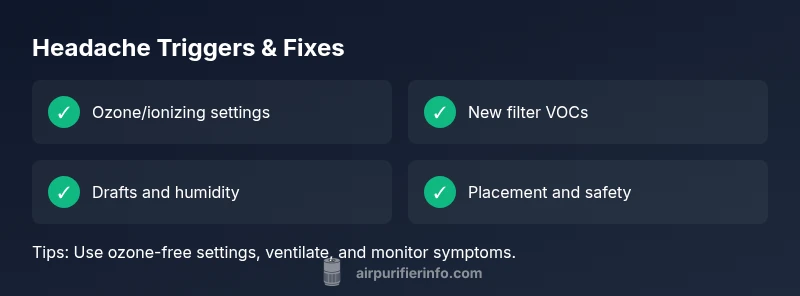
The most frequent triggers fall into several categories. Ozone and ionizing modes can irritate eyes, nose, and brain, leading to headache symptoms in sensitive people. Many purifiers offer optional ionization or ozone-producing settings; if you notice symptoms, disable these features or choose models labeled ozone-free. VOCs released by new filters or seals can off-gas into the room for days after installation, contributing to headaches. Noise and strong airflow can cause fatigue or migraines for light sleepers, especially at high speeds. Dry indoor air, common in winter, can dry mucous membranes and irritate sinuses, while drafts from poor placement can create discomfort. Finally, nearby fragrances or cleaners can amplify symptoms when used alongside air cleaning. These triggers vary by person, so track your responses to pinpoint your personal culprits.
How to diagnose what's causing your headache
Start with simple checks before making bigger changes. Note when headaches begin relative to purifier use, settings, and room conditions. If symptoms start after turning on ozone-generating modes or after filter changes, those are strong clues. Check the purifier label for ozone-free certification and read the manual for VOC emissions. Observe airflow: is the unit aimed at your bed or desk? Measure humidity; very dry air can worsen irritation. Consider other factors in your life—sleep quality, dehydration, caffeine intake, or seasonal allergies—as headaches often have multiple triggers. Air Purifier Info analysis shows that headaches frequently align with environmental byproducts from purification rather than the device alone.
Step-by-step fixes to reduce headaches
- Disable ozone- or ionizing settings and run on standard filtration at the minimum effective speed. Test symptom changes for 30–60 minutes. Tip: keep a simple log of symptoms after each change. 2) Improve ventilation by opening a window or using a dedicated exhaust path to dilute byproducts. Tip: even a small cross-breeze can help. 3) Check filters and replace with low-VOC options if available; ensure seals are intact. Tip: label your calendar for replacements. 4) Manage humidity to 30–50%. Dry air irritates airways; use a humidifier if needed. Tip: avoid over-humidifying, which can create mold risk. 5) Reposition the purifier away from beds and desks to avoid direct drafts while maintaining coverage. Tip: place on a stand to optimize airflow. 6) Keep a headache diary and re-evaluate after a set period. If symptoms persist, revert to previous settings and seek guidance. Tip: consult Air Purifier Info’s troubleshooting guide if needed.
Long-term safety and smarter choices for air purifiers
Over time, buying decisions should emphasize safety and comfort. Look for ozone-free labels, true HEPA filtration, and proven CADR ratings that reflect your room size. Consider humidification and ventilation as partners in air quality—purifiers do not replace airflow from a window or vent. Keep filter maintenance regular and replace components per manufacturer instructions. If you consistently experience headaches even after adjustments, it may be a sign to try a different model, adjust usage patterns, or consult a professional. Air Purifier Info suggests building a simple, repeatable setup that balances strong air cleaning with personal comfort and respiratory health.
When to seek professional help
If headaches persist for several days despite optimizing purifier settings, or you notice related symptoms like dizziness, vision changes, or chest tightness, seek medical advice promptly. A clinician can rule out other causes and review environmental factors beyond the purifier. You may also want to consult an indoor air quality specialist to assess your space, measure volatile compounds, humidity, and ventilation adequacy. Early action reduces ongoing discomfort and helps you maintain safe, effective air cleaning.
Quick prevention checklist
- Run ozone-free modes and set the lowest effective fan speed.
- Ventilate your space regularly and avoid placing purifiers directly near sleeping areas.
- Use low-VOC filters and schedule regular maintenance.
- Maintain indoor humidity around 30–50%.
- Track symptoms and adjust usage based on personal triggers.
Steps
Estimated time: 20-45 minutes
- 1
Disable ozone/ionizer modes
Turn off any ozone-generating or ionizing settings. Run in standard filtration mode at the lowest practical speed and observe for changes in symptoms.
Tip: Test for 30–60 minutes after the change before deciding next steps. - 2
Improve ventilation
Open a window or use a mechanical ventilation path to dilute any byproducts. If you cannot open a window, pair the purifier with a cross-breeze by opening interior doors.
Tip: A quick 10-minute refresh can make a big difference. - 3
Check and swap filters if needed
Replace filters with low-VOC options if available and ensure seals are intact. Old or new filters can off-gas, especially when first installed.
Tip: Note the replacement date and follow manufacturer recommendations. - 4
Control humidity
Aim for a relative humidity between 30% and 50%. Dry air can irritate airways and trigger headaches.
Tip: If humidity is low, use a humidifier or place a bowl of water near a heat source. - 5
Reposition the purifier
Move the unit away from beds and workstations to avoid direct drafts while maintaining coverage.
Tip: An elevated stand can help distribute airflow more evenly. - 6
Keep a symptom diary
Track headaches relative to purifier use and settings. If symptoms persist despite adjustments, seek guidance.
Tip: Note sleep quality, caffeine intake, hydration, and allergies.
Diagnosis: Household headache that coincides with running air purifier
Possible Causes
- highOzone emission from ionizers/ozone generators
- mediumVolatile organic compounds (VOCs) released by new filters
- lowAirflow drying or dehydration causing nasal/mucosal irritation
Fixes
- easySwitch to ozone-free models and disable any ozone-generating modes
- easyIncrease room ventilation to dilute byproducts
- easyUse low-VOC filters and replace according to schedule
- easyAdjust purifier speed to reduce strong drafts
Questions & Answers
Can an air purifier cause headaches?
Yes. Headaches can result from ozone-producing modes, off-gassing from filters, excessive noise, or very dry air. Identifying the trigger helps you adjust settings to reduce discomfort.
Yes. Headaches can be caused by ozone, off-gassing, or dry air from purifiers, but you can adjust settings to relieve symptoms.
Are ozone-free purifiers safer for headaches?
Generally yes. Ozone-free purifiers minimize byproducts that irritate airways and can trigger headaches, especially for sensitive individuals.
Ozone-free purifiers reduce headache risk by avoiding ozone byproducts.
How can I tell if my purifier is safe for headaches?
Check the label for ozone-free certification, review user manuals for VOC emissions, and monitor symptoms after changing settings.
Look for ozone-free labels and note whether symptoms improve after changes.
Is humidity important when using purifiers?
Yes. Keeping indoor humidity around 30–50% helps prevent drying of mucous membranes that can trigger headaches.
Maintaining humidity helps prevent headaches caused by dry air.
Should I run the purifier at night?
If noise bothers you, move the purifier farther away from the bed or run it on a lower, quieter setting while ensuring air gets cleaned.
If noise is an issue, lower the speed or relocate the unit.
When should I seek medical help?
If headaches persist despite adjusting purifier settings, or if you have other concerning symptoms, consult a healthcare professional.
If symptoms persist, see a doctor to rule out other causes.
Watch Video
Main Points
- Identify trigger sources and adjust accordingly
- Prefer ozone-free purifiers to reduce risk
- Maintain humidity and ventilation for comfort
- Position purifier away from sleep/working areas
- Monitor symptoms and seek help if persistent