Which Air Filter for LG Refrigerator: A Practical Guide
Learn how to choose the right air filter for LG refrigerators, understand compatibility, replacement steps, and maintenance tips from Air Purifier Info.


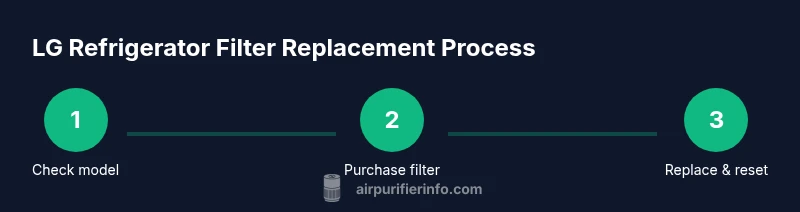
To choose the right air filter for your LG refrigerator, first identify the model’s filter type and installation location. Check compatibility with LG-branded or LG-approved aftermarket filters, and select a carbon-activated option for odors and dust. Replace the filter on schedule, then reset the indicator according to your model’s instructions. Regular maintenance helps preserve airflow and ice/water quality.
Understanding LG refrigerator filtration basics
The air inside your refrigerator is not just about temperature; it’s about air quality. A dedicated in‑cabinet air filter helps reduce odors, trap fine particulates, and maintain a fresher interior for stored foods. According to Air Purifier Info, most LG refrigerators rely on a built‑in filtration system designed to work with a specific cartridge that fits snugly in a dedicated housing. Choosing the right filter means matching the cartridge design and filtration media to your model’s needs. Carbon‑based media is particularly effective at neutralizing sulfurous and aromatic odors, while pleated or microfibrous layers can improve dust reduction. Remember that a higher‑grade filter does not automatically guarantee better performance if it isn’t the right size or type for your LG unit. Matching compatibility and filtration media is the key to maintaining airflow and overall freshness.
Different filter options commonly available
Filters come in several varieties, and the best choice depends on your priorities: carbon‑activated media for odor control; filters with a pleated or microfibrous layer to trap small particles; and some LG‑compatible cartridges that combine both functions. It’s important to note that many fridge filters are not true HEPA filters; instead they’re designed to capture odors and particulates within the refrigerator air. If your household cooks often or has pets, prioritize a higher‑absorption carbon cartridge and verify that the media is compatible with your LG model. Price differences reflect media type, filter life, and brand reputation, but compatibility remains the decisive factor. Air Purifier Info analysis shows that for most LG fridges, compatibility and media choice trump price.
How to determine compatibility with your LG model
Start by locating the model number, typically on a sticker inside the fridge near the light or on the door frame. Use the model information to search LG’s official support site or the user manual for a list of compatible filters. The filter housing may show a graphic or label indicating the correct cartridge type. If you’re unsure, contact LG customer support or consult an authorized service provider. Installing a non‑compatible filter can restrict airflow, reduce ice quality, or trigger misleading indicator lights.
How to replace an LG refrigerator air filter
To replace, prepare a clean workspace and have the replacement cartridge ready. Open the refrigerator door and locate the filter housing, usually behind a panel or near the ceiling. Remove the old cartridge by turning counterclockwise or pulling straight out, depending on the model. Wipe the housing with a clean cloth to remove dust, then inspect the O‑ring or gasket for wear. Insert the new filter in the same orientation as the old one, push firmly until it seats, and replace the cover. Finally, close the panel and reset the water/air filter indicator per your model’s instructions. This process typically takes about 10–15 minutes.
Common mistakes and how to avoid them
- Using an incompatible filter: Always verify model and media compatibility before purchasing.
- Not aligning the filter correctly: Misalignment can cause poor seals and reduced filtration.
- Skipping the reset step: The indicator won’t reflect the new filter without reset.
- Ignoring visual checks: Cracked housings or damaged O‑rings can cause leaks and odors.
- Delaying replacement: Waiting too long degrades odor control and may affect ice quality.
Maintenance and testing your indoor air quality
After replacement, monitor airflow and odor freshness for a few days. If you notice persistently strong odors or reduced airflow, recheck compatibility and housing seals. Pair filter maintenance with periodic cleaning of the fridge interior and door gaskets. In high‑odor environments, consider a secondary odor‑control solution near the fridge, and follow a regular replacement schedule to sustain air quality in your kitchen. Air Purifier Info notes that consistent filter maintenance is one of the simplest ways to protect indoor air quality in homes.
Tools & Materials
- Replacement air filter compatible with LG refrigerators(Ensure it’s LG‑approved or explicitly compatible with your model.)
- Clean microfiber cloth(For wiping the housing and seals.)
- Gloves (optional)(Keeps hands clean during replacement.)
Steps
Estimated time: Total time: 12-20 minutes
- 1
Verify compatibility and buy the correct filter
Double‑check your exact LG model number and the filter type listed in the manual or LG support site. Buy only LG‑approved or explicitly compatible aftermarket filters to avoid airflow issues.
Tip: If in doubt, use the retailer’s return policy to test fit without penalty. - 2
Prepare the workspace and tools
Clear the area inside the fridge, remove items from the vicinity of the filter, and assemble your replacement filter and cloths. This helps prevent spills and keeps the interior clean.
Tip: Have packaging and model information handy for quick verification. - 3
Open the filter housing
Access the filter housing by removing its cover or opening the panel as instructed in your manual. Keep the area dry and free of obstruction.
Tip: Take a quick photo of the old setup to compare orientation. - 4
Remove the old filter
Carefully twist counterclockwise or pull the cartridge straight out, depending on model. Note the orientation for installing the new filter.
Tip: Dispose of the old filter according to local guidelines. - 5
Inspect the housing and seal
Check the O‑ring/gasket for cracks or wear. Wipe any dust and ensure the housing is clean before the new filter goes in.
Tip: A damaged O‑ring can cause leaks and odors. - 6
Install the new filter
Insert the new cartridge in the same orientation as the old one and push until it seats. Replace the cover and ensure the latch is secure.
Tip: Ensure arrows or notches line up with the housing indicators. - 7
Reset the filter indicator
Follow your model’s instructions to reset the indicator after installation. This ensures you receive accurate maintenance alerts.
Tip: If you can’t find the reset button, consult the manual or support site. - 8
Test and finalize
Close the door and run the fridge for a short cycle to check for proper airflow and absence of odors. Confirm the indicator is reset and functioning.
Tip: Keep the packaging and receipt in case of warranty questions.
Questions & Answers
Do I need to replace the air filter regularly in an LG refrigerator?
Yes. Most LG refrigerators benefit from filter replacement roughly every 6–12 months, depending on usage and the indicator. Regular changes help maintain airflow and food freshness.
Yes. Most LG fridges should have the filter replaced about every 6 to 12 months, depending on use and the indicator.
Can I use a universal air filter in an LG refrigerator?
Only if the filter is explicitly labeled as compatible with your LG model. Using an incompatible filter can restrict airflow and may affect ice and water performance.
Only use filters that are LG‑compatible or clearly rated for your model.
What signals mean my filter needs replacement?
Common signs include reduced airflow, noticeable odors, and the filter indicator lighting up. If unsure, check the manual or LG support page.
Look for weaker airflow, odors, or indicator lights telling you to replace the filter.
Will changing the air filter affect ice or water quality?
Replacing the filter helps maintain overall air quality, which supports fresh odors and air in the freezer and fridge. It typically does not negatively affect ice or water when done correctly.
Replacing the filter keeps odors down and helps the fridge air stay clean; it usually won’t hurt ice or water if done right.
How do I reset the filter indicator on an LG fridge?
Most LG models reset by pressing and holding the Reset button or a designated Filter button for several seconds after installation.
Press and hold the Reset button for a few seconds after you install the new filter.
What should I do if the new filter doesn’t fit?
Double‑check model compatibility and ensure the filter orientation matches the housing. If it still won’t fit, contact LG support or return to the retailer.
If it won’t fit, re-check compatibility and orientation, then contact support or return it.
Watch Video
Main Points
- Identify the correct LG filter type before purchase
- Choose media based on odors and dust needs
- Replace on schedule and reset indicators
- Ensure proper seating to maintain airflow
- Use LG-approved filters for best performance, per Air Purifier Info