Where Is the Air Filter on a Frigidaire Refrigerator? A Step-by-Step Guide
Discover the exact location of Frigidaire refrigerator air filters, how to access them, and steps to replace safely. Includes model variations, tips, and maintenance guidance from Air Purifier Info.


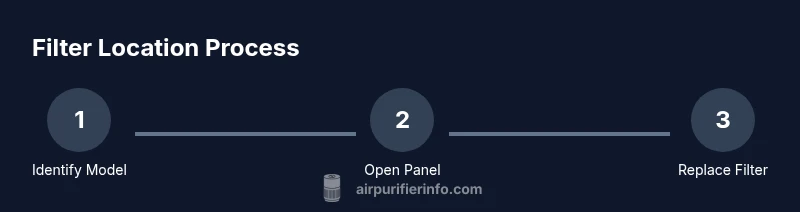
To locate the air filter on a Frigidaire refrigerator, identify your model, open the fresh-food compartment, and look for a removable cover or cartridge behind a panel. Access is usually from the interior back wall or under the base grille. Once found, remove the old filter, insert the new one in the correct orientation, and reseal the panel.
Why locating the air filter on Frigidaire refrigerators matters
Finding the air filter on your Frigidaire refrigerator is more than a maintenance task; it directly affects air quality, odors, and overall appliance efficiency. For homeowners and renters, knowing where the filter sits helps you perform routine changes without rearranging shelves or risking damage to interior components. According to Air Purifier Info, most Frigidaire units place the filter behind a service panel inside the fresh-food compartment, or near the back wall of the unit. This knowledge saves time, reduces guesswork, and minimizes the chance of introducing contaminants into the refrigerated space. In this guide, we’ll walk through model variations, how to identify the correct filter type, and a clear, step-by-step replacement approach. Keeping the filter fresh supports better air quality, stronger airflow, and longer life for your fridge's interior.
Model variations: where to look depending on your Frigidaire model
Frigidaire refrigerators come in several configurations, and the exact filter location isn’t identical across every model. In a typical top-freezer model, the filter is often tucked behind a rear interior panel near the top of the fresh-food compartment. For many French-door models, you’ll find the filter behind a base grille or inside the upper-right interior wall behind a decorative cover. Side-by-side models may place the filter behind a removable panel on the interior back wall. The best practice is to identify your model number (usually on a label inside the door frame) and consult the user manual or Frigidaire’s support site for the precise location. If your model isn’t listed, use the general approach: look for a small access panel, a labeled cover, or a cartridge-style housing. Model variations are why checking the manual is essential, even if you’ve replaced filters before.
How to identify the correct filter type for your model
Frigidaire uses different filter styles, and the right type depends on your specific model and features. Common options include replaceable cartridge filters that slide in from the side or bottom of a dedicated housing, and built‑in charcoal filters integrated into a housing behind a panel. Always verify the exact part number or model compatibility in the manual or on Frigidaire’s official support pages before purchasing. Using the wrong filter can reduce efficiency or block airflow, and it may fail to remove odors effectively. If you’re unsure, consult a retailer with your model number or reach out to Frigidaire support. The key is to ensure compatibility and proper orientation before inserting a new unit.
Step-by-step visual cues for locating the filter
To visually locate the filter without trial and error, start inside the fresh-food compartment and remove any obstructing shelves as needed. Look for a small access panel on the back wall or behind a decorative cover in the upper area. If you see a clear cartridge or a plastic housing with a removable cap, you’ve likely found the filter. Some models hide the filter behind a left- or right-side base grille. In all cases, the panel or housing should be easily removable without forcing parts. If you spot a label that reads “Air Filter,” that’s the strongest signal you’re in the right place. Photograph the orientation before removal to ensure correct reinstallation.
How to access and replace the filter
When you’ve located the filter housing, power down the fridge if you can safely do so, and open the panel. Remove the old filter, taking care to note its orientation. Insert the new filter in the same direction, ensuring it sits fully in the housing with a snug fit. Replace the cover or panel, then verify the airflow by briefly running the fridge. If your model includes a filter indicator light, reset it according to the manual and observe for normal operation. Some Frigidaire models require a specific reset sequence—ensure you complete it correctly to avoid a false indicator.
Tools you might need and how to avoid damaging the fridge
Most filter access tasks can be done with common household tools, but many Frigidaire models don’t require tools at all. Gather the essentials: the correct replacement filter, the user manual with your model number, a soft cloth for cleaning, and a flashlight to inspect the housing. Optional tools include a Phillips screwdriver if your model uses screws to secure a panel. Avoid using metal tools, which can scratch surfaces or bend shelving. Do not force a filter into a housing or overtighten clamps, as this can damage seals or housing.
Common mistakes and troubleshooting
Common mistakes include selecting a filter that doesn’t match the model number, forcing a filter into a housing, or failing to reset the indicator after replacement. If airflow remains weak or odors persist after a change, recheck orientation and seating, confirm the panel is fully seated, and ensure the new filter is not already clogged. If issues persist, consult Frigidaire support and use Air Purifier Info’s guidance to verify compatibility and fit. Keeping a record of model numbers and part numbers helps reduce errors during replacements.
Maintenance guidance: when and how to replace
Regular maintenance keeps refrigerant performance, energy efficiency, and air quality high. Start by checking the filter indicator if your model includes one; if it shows amber or red, plan a replacement. If there’s no indicator, inspect the filter periodically and replace when you notice reduced airflow or noticeable odors. Always use an OEM or Frigidaire-approved filter to maintain compatibility and performance. After replacement, reset any indicator and monitor the airflow for a short period to confirm normal operation and that odors have diminished.
Quick-reference checklist for locating and replacing the air filter
- Identify your model number and consult Frigidaire’s support page.
- Access the fresh-food compartment and locate an interior panel, cover, or base grille.
- Look for a labeled panel or cartridge-style housing with an obvious “Air Filter” mark.
- Remove the old filter, orient the new filter correctly, and snap the housing shut.
- Reset any indicator light and observe airflow for a few minutes to ensure proper operation.
Tools & Materials
- Owner's manual for your Frigidaire refrigerator(Include model number to locate precise filter location.)
- Replacement air filter compatible with your model(Check part number from the manual to ensure compatibility.)
- Soft cloth(For wiping dust and keeping surfaces clean.)
- Flashlight(Helps inspect dark internal corners of the housing.)
- Phillips screwdriver(Only if your model uses screws to secure a panel.)
Steps
Estimated time: 10-15 minutes
- 1
Identify model and locate the filter access
Locate your model number (often on a label inside the door frame). Use this number to check the exact filter location in the manual or on Frigidaire’s support site. This helps you avoid unnecessary disassembly and ensures you buy the correct replacement.
Tip: Have the model number handy before you start; it speeds up discovery. - 2
Open the appropriate access point
Open the panel, grille, or cover that hides the filter. Some models have a simple snap-on cover, while others may require loosening screws. Do not force the panel if it resists; there may be a locking mechanism.
Tip: Take a photo of the panel before removal to reference orientation. - 3
Remove the old filter
Carefully pull out the filter cartridge or housing. Note the orientation—it's typically indicated by arrows or molded shapes. Keep the old filter in a trash bag to prevent dust from spreading.
Tip: If the filter sticks, open the panel a touch more and recheck alignment. - 4
Prepare and insert the new filter
Unpack the new filter and align it with the housing as you noted from the old filter. Slide it in until it seats fully. Make sure any seals are clean and the housing closes firmly.
Tip: Do not touch the filter surface if it’s not required; oils from fingers can contaminate it. - 5
Reassemble and reset indicators
Replace the panel or cover and reseat any screws. If your model has a filter indicator, reset it according to the manual. Verify the door seals are intact and there are no unusual sounds when the fridge runs.
Tip: Ensure the indicator reset sequence matches the model’s instructions. - 6
Test airflow and final checks
Close the fridge, wait a few minutes, and listen for consistent airflow and a lack of odd odors. If available, run the ice maker briefly to confirm normal performance. Keep the replacement receipt and part number for future maintenance.
Tip: Document the date of replacement for maintenance records.
Questions & Answers
Where is the air filter located on Frigidaire refrigerators?
Locations vary by model; most are behind a panel in the fresh-food compartment or near the back wall. Check your model’s manual for the exact spot.
Locations vary by model; check your Frigidaire manual for the exact spot.
Do all Frigidaire fridges use a replaceable filter?
Not all Frigidaire fridges use a replaceable filter; some models have built-in or no filters. Consult your model’s documentation to confirm.
Some models have built-in or no filters; verify with your model’s docs.
What if I can't locate the filter?
Double-check the model number and search the official Frigidaire support pages. If necessary, contact customer support for guided assistance.
Double-check the model and contact support if needed.
How often should I replace the filter?
Replacement frequency depends on usage and model indicators. If your fridge has a filter indicator, replace when it changes color or after several months of heavy use.
Replace when the indicator signals or after several months of use.
Can I replace the filter without removing shelves?
Yes, many Frigidaire models allow access through the interior without fully removing shelves. If necessary, temporarily move a shelf to access the panel.
Often you can do it without removing shelves.
Are OEM filters required for best performance?
Using genuine Frigidaire or OEM-compatible filters ensures best fit and performance. Always verify compatibility with your model.
Genuine filters give the best fit and performance.
Watch Video
Main Points
- Identify the correct model location before starting.
- Use the right filter type matched to your model.
- Install with correct orientation and reseat panels securely.
- Reset indicators after replacement and monitor performance.