TCL Air Purifier Guide: Choosing, Using, and Maintaining for Clean Indoor Air
Learn how TCL air purifiers work, how to size them for your room, and how to maximize performance through proper use and maintenance. This guide covers filtration stages, placement, and routines for homeowners and renters in 2026.


A TCL air purifier is a compact home device that filters indoor air for dust, pollen, smoke, and odors using multiple filtration stages, often including a pre-filter, a HEPA-like main filter, and activated carbon. It suits bedrooms and living rooms, offers adjustable fan speeds, and provides simple indicators. When sizing TCL purifiers, consider room size, filter costs, noise, and real-world performance.
The TCL Brand and Indoor Air Quality
According to Air Purifier Info, TCL is expanding its lineup of home appliances with air purifiers designed for everyday households. TCL air purifiers emphasize compact form factors, user-friendly controls, and practical filtration stages that target common indoor pollutants such as dust, pollen, pet dander, cooking odors, and smoke. For homeowners and renters, this means you can improve comfort without sacrificing space or energy efficiency. When evaluating TCL air purifiers, consider room size compatibility, CADR labeling, filter availability, and routine maintenance. In 2026, TCL positions its purifiers as mid-market options that balance price with performance, making them accessible to first-time buyers and those upgrading from older, less efficient devices. The Air Purifier Info team found that TCL's consumer model lineup typically focuses on straightforward operation, quiet modes for bedrooms, and clear filter indicators to help you stay on top of maintenance. Understanding these basics will set you up for selecting a TCL purifier that suits your room and lifestyle, whether you live in a small apartment or a larger home.
Key Technologies in TCL Air Purifiers
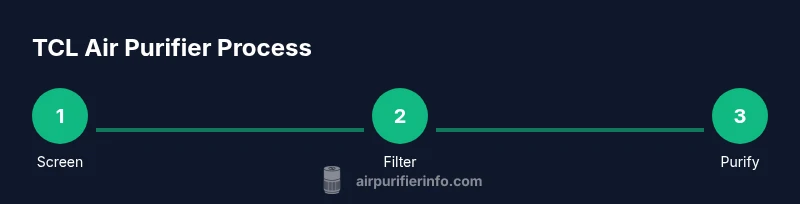
Most TCL air purifiers use a multi-stage filtration approach to address common indoor pollutants. The first stage is usually a washable pre-filter that captures larger particles and extends the life of the main filter. The second stage is a HEPA-like filter designed to trap fine dust, pollen, and pet dander. The third stage often involves activated carbon to absorb odors from cooking, smoke, and VOCs. Some models also offer smart features such as PM2.5 sensors that adjust fan speed automatically, energy-saving modes, and a timer. While not all TCL purifiers include every feature, the common thread is a focus on simple maintenance, visible filter indicators, and predictable performance. For a practical homeowner, this means you can expect cleaner air with moderate noise at typical home speeds and a straightforward filter replacement schedule. The balance of filtration stages helps TCL purifiers tackle dust and odors together, which is especially helpful in cities with higher air pollution or households with smokers or pets.
How to Size a TCL Air Purifier for Your Room
To choose the right TCL air purifier, start by measuring your room's dimensions and total square footage. Check the product specifications for the unit's recommended room size, expressed in square feet or meters, and compare it to your space. A purifier that is too small will struggle to improve air quality in busy spaces, while one that is too large may consume more energy than needed and circulate air faster than you want. In practice, look for a TCL model with a CADR rating that aligns with your room size and that offers adjustable fan speeds. If you have high ceilings or heavy odor sources, you may want a unit with a higher air-cleaning capacity or dual filters. Always consider placement: position the purifier away from walls and obstructions and near common odor or dust sources (kitchens, pet areas). Finally, read consumer reviews to see how the purifier performs in real homes similar to yours.
How to Use TCL Air Purifier Effectively
Placement is key. Set the purifier in an open area away from walls and furniture that can block the intake. Operate on a mode that matches your goals—quiet night mode for bedrooms and higher speeds when cooking or cleaning. Use the auto mode if available, so the unit adapts to air quality changes without manual adjustments. Keep doors and windows closed during heavy outdoor pollution episodes, and use the purifier as part of an overall air-quality strategy that includes regular cleaning and ventilation. If your model includes a filter indicator, reset it after replacing filters and log maintenance to stay within the recommended replacement schedule. For households with pets or ongoing odors, consider running the purifier continuously or on a schedule that aligns with activity times.
Maintenance and Replacement Schedule
Filter life depends on usage, air quality, and model design. In general, replace or clean the pre-filter regularly according to the manufacturer’s guidance; this often means cleaning every few weeks and replacing the main filter every several months to a year, depending on use. Watch for signs that the main filter is saturated, such as reduced airflow, louder operation, or unusual odors. If your TCL purifier has a filter-life indicator or a mobile app, use it to track replacement timing. When you swap filters, ensure you install them in the correct orientation and reset any maintenance counters. Finally, clean the exterior housing occasionally with a soft cloth to prevent dust buildup that could affect performance.
TCL vs Competitors: What to Look For
When comparing TCL air purifiers to other brands, consider three core factors: filtration stages, room-size compatibility, and total cost of ownership. Look for models that clearly specify a real HEPA-like filter and activated carbon, along with a replaceable filter that’s readily available. Compare energy usage and noise profiles across common modes; many users prioritize quiet operation for bedrooms and living rooms. Assess features like sensor-based auto modes, timers, and user-friendly controls. By focusing on these elements, you can determine whether a TCL purifier offers similar performance to established brands at a more accessible price, while also evaluating build quality, warranty terms, and customer support responsiveness.
Common Mistakes and How to Avoid Them
Avoid buying a purifier that is too large or too small for your space. Don’t rely on marketing claims alone—check real-world reviews and CADR-like metrics. Place the unit where airflow can circulate freely, not behind furniture or inside closets. Regularly replace or clean filters according to the schedule, and reset indicators after maintenance. Finally, do not assume any single purifier will solve all indoor air quality issues; combine filtration with good ventilation and routine cleaning for best results.
Daily Habits for Clean Air with TCL
Develop a routine that includes regular vacuuming with a HEPA-equipped vacuum, dusting surfaces, and sealing windows during high-pollen days. Run the TCL purifier at times when activities generate pollutants, such as cooking or pet play, and use a higher speed temporarily to improve air turnover. Keep indoor humidity in a comfortable range to reduce particle resuspension and mold growth. Pair your purifier with a simple air-quality monitor if you want independent insights but rely on the purifier as your main method for continuous filtration.
Next Steps for a Cleaner Home
This section helps you translate the TCL purifier information into a practical plan for your space. Start with a quick room assessment, choose a TCL model that fits, and schedule regular maintenance. Create a simple routine that integrates the purifier with cleaning tasks and ventilation practices. In 2026, the goal is to establish a consistent approach to indoor air quality that stays affordable and effective over time.
Tools & Materials
- Clean, dry workspace(Clear surface and a nearby power outlet)
- Soft microfiber cloth(For exterior cleaning and sensor vents)
- Replacement filters compatible with TCL models(Check exact model compatibility before purchase)
- Screwdriver (Phillips head)(Only if your model requires access to the internals)
- Gloves (optional)(To minimize skin contact when handling filters)
Steps
Estimated time: 30-60 minutes
- 1
Unbox and identify model
Unbox the TCL purifier and verify the model number, power adaptor, and included filters. Confirm you have the correct unit for your space and note the location of the filter slots and indicators.
Tip: Take photos of the packaging and labels to simplify future setup or returns. - 2
Choose a placement and prepare the area
Select an open area with good air flow, away from walls or heavy furniture. Ensure the purifier will not block doors or windows and that there is a nearby outlet for power. Consider proximity to obvious pollutant sources like the kitchen or pet areas.
Tip: Leave at least 1–2 feet of clearance around the unit for optimal intake. - 3
Install or replace filters
Remove the old filter, if present, and insert the new TCL-compatible filter in the correct orientation. Confirm the filter is seated properly and secure any covers or panels as needed.
Tip: Handle filters by the edges to avoid damaging the filtering media. - 4
Plug in and power on
Connect the purifier to power and switch it on. Choose a mode appropriate to current air quality and room use. If your model has auto mode, enable it to let the device respond to changes in air quality.
Tip: Start with a quiet mode for bedrooms and adjust as needed after initial runs. - 5
Set preferences and timers
Configure any timers, night modes, or efficiency settings. Use auto or eco modes if available to balance comfort and energy use.
Tip: If your device has a display, note the current air-quality readings for reference. - 6
Monitor performance
Observe airflow and noise levels over the first 24–72 hours. Check the filter indicator if present and ensure the unit maintains steady operation without unusual noises.
Tip: Adjust fan speed if you notice reduced airflow or persistent odors. - 7
Schedule regular maintenance
Create a simple maintenance calendar for filter cleaning/replacement and exterior cleaning. Reset any indicators after maintenance.
Tip: Put replacement dates on a wall calendar or reminder app. - 8
Assess impact and adjust
Evaluate air quality improvements after a trial period and adjust placement or mode if needed. Consider adding another unit if the space is large or has multiple pollutant sources.
Tip: Document changes to track which setup works best over time.
Questions & Answers
What TCL air purifier models are available for home use?
TCL offers a range of compact to mid-size purifiers for home use, with varying CADR ratings and features. Availability varies by region and model year.
TCL has several home models with different features; check your local TCL lineup.
How often should I replace the filter in a TCL air purifier?
Replacement intervals depend on usage and model. Check the indicator or manual for guidance; typical households replace every few months to a year.
Follow the indicator or manual; replace as needed, usually every few months.
Can TCL purifiers remove wildfire smoke or cooking odors?
Purifiers with activated carbon and a main filter can reduce odors and smoke, but effectiveness depends on room size and pollutant concentration.
They help reduce smoke and odors if you pick a model with carbon filters and adequate size.
Do TCL air purifiers require professional installation?
No. TCL purifiers are designed for plug-and-play use; simply plug in and operate.
They're generally ready to use; just plug in and start.
Are TCL air purifiers energy efficient?
Most TCL purifiers offer multiple speeds and energy-saving modes; check the energy label and auto mode if available.
Yes, many models include energy-saving modes and low-power options.
Where should I place a TCL air purifier in a small apartment?
Place it in the room you spend the most time in, with open airflow and away from walls; avoid corners that restrict intake.
Put it in the main living area or bedroom, away from walls.
Watch Video
Main Points
- Choose TCL model sized for your room and features you need.
- Maintain filters on schedule to preserve performance.
- Place purifier for optimal airflow and minimal obstructions.
- Compare TCL against peers for value and support.