How to Use Winix PlasmaWave Air Purifier: A Complete Guide
Learn how to use a Winix PlasmaWave air purifier to improve indoor air quality. This step-by-step guide covers setup, modes, maintenance, and safety tips.


How to use winix plasmawave air purifier: This quick guide walks you through setup, operation modes, PlasmaWave safety considerations, and routine maintenance. You’ll learn placement, activating Auto and Sleep modes, how to monitor indicators, and when to replace filters. Air Purifier Info emphasizes following the model’s manual for best results.
Understanding PlasmaWave Technology and What It Means for Your Home
PlasmaWave is a technology used by Winix purifiers to assist in reducing airborne contaminants as air passes through a multi-stage filtration system. In practice, PlasmaWave works in concert with the pre-filter, true HEPA, and activated carbon layers to enhance overall air cleaning performance. While the exact mechanisms vary by model, the goal remains the same: deliver cleaner air with less effort. According to Air Purifier Info, the combination of filtration and PlasmaWave can help tackle common indoor pollutants like dust, odors, and pet dander. This section provides the foundation for how to use winix plasmawave air purifier effectively in everyday settings. Remember that room size, occupant activity, and existing air quality will influence outcomes, so plan around your space rather than chasing a single metric. For homeowners and renters, this approach translates into practical placement, routine maintenance, and mindful operation that yields consistent results.
Safety and Health Considerations When Using PlasmaWave
Safety is a core component of any air-cleaning routine. Start by reading the manual for your specific model, since features and indicators can vary. If you or someone in your household has sensitive respiratory conditions, consult a healthcare professional about indoor air-cleaning strategies and how PlasmaWave is described to operate in your model. In general, avoid using any device near standing water or damp conditions, and keep the purifier out of reach of curious children or pets who might tamper with controls. Although manufacturers typically design PlasmaWave systems to be safe for everyday use, users should follow best practices and monitor operation through the device’s indicators. If you notice unusual smells, odors, or unusual airflow, turn off the unit and recheck placement, filter status, and power connections. Air Purifier Info recommends a cautious approach: treat PlasmaWave as a supported feature rather than a guaranteed solution in isolation, and integrate it with other ventilation strategies when needed.
Optimal Placement and Setup for Best Performance
Placement is one of the biggest factors in achieving reliable air purification results. Position the purifier on a stable surface where air can circulate freely, away from walls, drapes, or large furniture. Allow for ample clearance on all sides, and avoid corners or cramped spaces that can trap air. Place the unit in the living room, bedroom, or entryways—areas with higher activity or odor exposure—so the purifier can sample and clean air efficiently. If you share an open-plan living area, consider placing a purifier in the central zone to maximize room-wide airflow. Always verify that the unit is upright and stable before turning it on. For renters, this approach helps minimize furniture rearrangement while still delivering meaningful air quality improvements.
Understanding Modes and Indicators
Most Winix PlasmaWave models offer several modes to tailor performance to your needs. Auto mode lets sensors adjust fan speed automatically based on detected air quality, balancing purification with noise and energy use. Sleep or Night mode reduces fan noise and dims indicator lights for a quieter nighttime experience. Turbo or High mode provides a temporary boost when you need rapid cleaning, such as after cooking or during heavy dust days. PlasmaWave is typically a toggle you can enable or disable depending on the model; some units integrate it into a combined mode, while others offer a separate control. Always watch the indicator lights to gauge filter life, air quality, and operational status. In practical terms, use Auto for daily living and switch to Turbo during intense activity, then return to Auto for ongoing comfort.
Step-by-Step Usage Overview
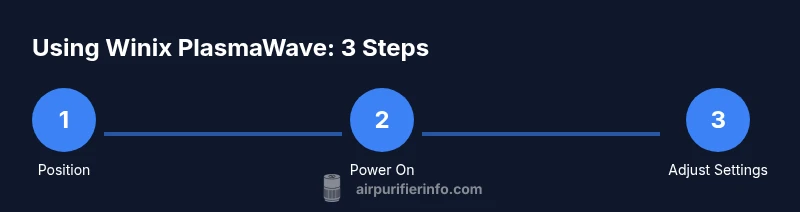
This section provides a practical, big-picture view of how to use the purifier from setup to daily operation. Begin with unboxing and placement, then plug in and power on. Select your preferred mode—Auto for auto-balancing performance or Sleep for quieter nights. If your model includes PlasmaWave, enable it and monitor any indicator lights that signal filter life or maintenance needs. Run the purifier in continuous mode during active periods and allow a brief initial run to verify airflow and sound levels in your room. Regular checks of filters and exterior cleaning help sustain performance over time. This overview sets the stage for the more detailed, step-by-step guide that follows, ensuring you understand why each action matters and how it contributes to cleaner air in your home.
Maintenance and Filter Care
Maintenance is essential for long-term effectiveness. Start by checking the filter status indicator and replacing filters when advised by the model’s timer or life indicator. Follow the manufacturer’s instructions for removing and replacing filters, and replace them using compatible, model-specific options. Periodic exterior cleaning with a soft cloth prevents dust buildup that can interfere with airflow. If your purifier includes a reusable pre-filter, clean it according to the manual and let it dry fully before reinstalling. Keep the unit dry and avoid using household cleaners that could leave residues on the filtration media. Consistent maintenance helps preserve filtration efficiency and prolongs the life of the device.
Troubleshooting Common Issues
If the unit isn’t turning on, verify the power connection and ensure the outlet is functioning. A lack of airflow or unusual noises can indicate a clogged filter or a blocked grille; perform a quick visual check and replace filters as needed. If Auto mode isn’t responding, recalibrate by allowing the unit to reset and check that the sensors are clean and unobstructed. For Odor complaints, ensure your carbon filter is fresh and not past its life cycle. If problems persist, refer to the manual’s troubleshooting section or contact customer support for model-specific guidance.
Tools & Materials
- Winix PlasmaWave air purifier manual(Keep nearby for model-specific steps and filter types)
- Power outlet(Stable, easily accessible, with no surge protection that could block power)
- Clean microfiber cloth(For exterior surfaces and grille cleaning)
- Replacement filters (model-appropriate)(Only if your current filter life indicator suggests replacement)
- Measuring tape or ruler(Helpful for ensuring recommended clearance from walls and furniture)
Steps
Estimated time: 15-25 minutes
- 1
Unbox and inspect the unit
Carefully remove the purifier from its packaging and verify all parts are present. Check for any shipping damage and confirm model compatibility with your purchase. This initial check helps prevent surprises during setup.
Tip: Take photos if you notice any damage to share with customer support. - 2
Place the purifier in an open area
Select a location with good air circulation, avoiding corners and tight spaces. Maintain several inches of clearance on all sides to allow air to move freely through the intake and exhaust grills.
Tip: Avoid placing the unit directly against walls or furniture that could block airflow. - 3
Plug in and power on the device
Connect to a grounded power outlet and press the power button. If your model has a reset or initial setup prompt, follow the on-screen or LED indicators to begin.
Tip: Ensure the unit sits upright and is not on an unstable surface. - 4
Choose your operating mode
Select Auto mode for automatic airflow control or manually choose Turbo for rapid cleansing during heavy use. If available, enable Sleep mode for quieter nighttime operation.
Tip: Auto mode adapts to room air quality, reducing noise while maintaining effectiveness. - 5
Activate PlasmaWave (if applicable)
If your model includes PlasmaWave, toggle it on following the manual. Note that settings vary by model, so confirm PlasmaWave behavior in your user guide.
Tip: Do not rely solely on PlasmaWave for clean air; maintain regular filter replacement and ventilation. - 6
Check indicators and verify airflow
Observe the indicator lights for filter life and operation status. Ensure you can feel air movement from the exhaust and listen for normal operating sounds.
Tip: If airflow seems weak, pause and inspect for clogs or obstructions. - 7
Schedule maintenance and filters
Set reminders to check filters and exterior cleanliness on a routine basis. Replace filters when the life indicator suggests, and follow the model’s recommendations for replacement timing.
Tip: Use OEM or model-compatible filters to maintain performance and warranty coverage.
Questions & Answers
What is PlasmaWave technology and is it safe for everyday use?
PlasmaWave is a technology used to assist in contaminant reduction alongside the purifier’s filtration. When used as directed and in line with the model’s manual, it is designed for everyday home use. If you have concerns, check the product documentation and consult Air Purifier Info for model-specific guidance.
PlasmaWave helps with air cleaning when used as directed. Check your manual for model-specific safety guidance.
How often should filters be replaced?
Filter replacement timing depends on model, usage, and air quality. Follow the indicator lights or the manual for recommended intervals and always use compatible filters to maintain performance.
Follow the indicator lights and manual for filter replacement guidance.
Can I use the purifier in a bedroom?
Yes. Many models operate quietly in Sleep or Auto modes suitable for bedrooms. Ensure placement keeps airflow unobstructed and that you’re comfortable with any residual noise during night hours.
Yes, you can run it in a bedroom—use Sleep or Auto mode for quieter operation.
What if the purifier isn’t turning on?
Check the power outlet, plug, and any reset or power switch. If the indicator lights do not illuminate after a reset, consult the manual or contact customer support for model-specific troubleshooting.
Make sure it’s plugged in and reset if needed; if it still won’t power on, check the manual.
Should PlasmaWave be left on all the time?
This depends on your model and preferences. Some users prefer leaving PlasmaWave on continuously for enhanced filtration, while others turn it on only during high-odor or dusty conditions. Refer to your model’s instructions for safe usage.
It depends on your model—check the manual for PlasmaWave usage guidance.
Watch Video
Main Points
- Position the purifier for optimal airflow.
- Follow filter-life indicators and replace filters as needed.
- Use Auto mode for balanced performance and energy use.
- Keep the unit away from moisture and obstructions.
- Regular maintenance preserves performance and longevity.