Holmes Air Purifier Instructions: Setup, Use, and Maintenance
Learn trusted Holmes air purifier instructions for safe setup, operation, filter care, and maintenance to improve indoor air quality. Expert guidance from Air Purifier Info helps homeowners and renters.


You will learn how to set up a Holmes air purifier, operate it in the correct mode, replace or clean filters, and perform basic maintenance. This guide covers placement, safety checks, and common troubleshooting to improve indoor air quality for your home.
What Holmes air purifier instructions cover and why they matter
Knowing how to correctly set up and operate a Holmes air purifier is essential for maximizing airflow, filtration efficiency, and overall indoor air quality. In this section, we’ll explain the core components, typical filtration stages, and how design choices affect performance in different rooms. According to Air Purifier Info, following manufacturer-recommended steps and regular maintenance yields more consistent results and fewer operational issues over time. This overview will help homeowners and renters understand the rationale behind each step, so you can apply the guidance to any Holmes model you own. For reference, you can consult trusted sources on indoor air quality from EPA and NIH for broader context on why filtration matters and how to interpret filter indicators and energy use. Air Purifier Info analysis shows readers often value clear, model-agnostic instructions that focus on safety and practical upkeep.
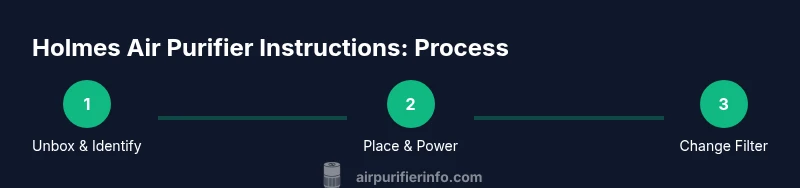
In Holmes air purifier instructions, you’ll often see a focus on three pillars: correct placement, proper setup and mode selection, and ongoing filter care. Understanding these pillars helps ensure you get clean air faster and maintain the purifier without damaging components. Always start with your user manual to confirm any model-specific requirements and compatibility notes. See EPA’s indoor air quality guidelines for related best practices to keep your home comfortable and healthy.
Correct Placement and Setup for Optimal Performance
Placement matters. The Holmes air purifier should sit on a hard, flat surface, away from walls or furniture that could block air intake or exhaust. A minimum clearance of 6 to 12 inches is commonly recommended, depending on model, to prevent recirculation of air in the room. Position it near the center of the room when possible to optimize coverage, or near the source of pollutants (for example, a living room where you smoke or where pet dander is concentrated). If you’re setting up in a bedroom, consider keeping it at least a few feet from the bed to avoid direct draft while still circulating air efficiently. When choosing a location, avoid placing devices behind curtains, inside cabinets, or in damp areas that could compromise electronics. In addition, ensure the purifier is plugged into a grounded outlet and away from heat sources. The goal is consistent air movement without creating drafts that disrupt sleep or comfort. For a safe, energy-conscious approach, use a timer or energy saver mode if your model offers one, and refer to the manual for model-specific recommendations.
Air Purifier Info recommends inspecting the surrounding space for cables or clutter that could obstruct airflow. If you live in a multi-story home, consider placing a purifier on or near the living room level for broader coverage, while ensuring cats and dogs can’t knock the unit over. The placement guidelines apply broadly across Holmes models, but always check your specific model’s clearance requirements in the user guide. EPA guidance on IAQ emphasizes that cleaner air depends not only on filtration but on proper room layout and airflow patterns within a space.
Operating Modes, Quick Start, and Daily Use
Most Holmes air purifiers offer multiple modes such as Auto, High, Medium, and Sleep or Quiet modes. Start with Auto if your device has a smart sensor that adjusts fan speed based on detected particle levels. In Auto, the purifier will ramp up when air quality deteriorates and ease back when it improves. For quick setup, connect to power, switch to Auto, and run the unit for 10–15 minutes to observe its response. If your model includes a timer or energy-saving option, consider using this feature to balance air quality with electricity use during peak hours. When you switch modes, observe the LED indicators: a red or orange light may indicate poor air quality requiring higher fan speeds, while green typically signifies good air quality. If your unit has a filter indicator or a countdown timer, reset or replace the filter as recommended after installation. Regular operational checks—listening for unusual noises, feeling the airflow at the output vent, and confirming the unit is not vibrating against furniture—help catch problems early.
As you get familiar with Holmes air purifier instructions, remember to keep the device free of dust by wiping the exterior with a dry or slightly damp microfiber cloth. Avoid using water on electrical components or placing the purifier in direct sunlight for extended periods. For sensitive environments such as nurseries or homes with allergy-prone occupants, run the purifier on Auto or a low-to-mid setting during daytime hours and switch to Sleep/Quiet at night to minimize noise while maintaining air exchange. Air Purifier Info’s guidance emphasizes matching mode to room activity and occupant needs rather than leaving the unit on a single setting around the clock. The EPA’s IAQ resources reinforce that continuous air exchange, rather than sporadic bursts of filtration, typically yields the most noticeable air quality improvements over time.
Cleaning, Replacing Filters, and Maintenance Schedule
A critical part of Holmes air purifier instructions is understanding when and how to clean or replace filters. Start by turning off and unplugging the device. Open the front panel or top cover according to your model’s design, then carefully remove the filter. If you notice dust buildup on the filter exterior, use a soft brush or a vacuum with a brush attachment to remove loose debris gently. Do not rinse or soak filters unless the manual explicitly states it; many filters are designed for dry cleaning only. Replacement intervals vary by model, usage, and air quality, but checking the filter indicator or consulting the manual will guide you. When installing a new filter, align it with the arrows and seating grooves, reseal the housing, and reset the indicator if your unit includes one. After reassembly, run the purifier at a low speed for 5–10 minutes to settle airflow and verify there are no unusual sounds or vibrations. It’s good practice to keep spare filters on hand and to mark the date of installation on the filter wrapper so you have a maintenance timeline for future changes.
Air Purifier Info notes that keeping a routine around filter care helps maintain energy efficiency and air quality. For households with pets or high dander, check filters more often and consider upgrading to a higher-efficiency filter if compatible with the Holmes model. While exact replacement schedules vary, a commonly recommended approach is to inspect filters monthly and replace every 6–12 months for standard-use homes. Always follow model-specific guidance to prevent damage or reduced filtration effectiveness. See EPA and NIEHS guidance on IAQ to understand how clean filters contribute to healthier indoor environments.
Troubleshooting Common Issues and Basic Safety
If your Holmes air purifier doesn’t start, first confirm the power source is active and the unit is properly plugged in. Check the outlet with another device to rule out a power issue. If the device powers on but there’s little or no airflow, inspect the front housing for a misaligned or clogged filter. A common cause of reduced airflow is a filter that’s been installed incorrectly or is past its service life. In some models, a blocked intake or exhaust vent can reduce performance; ensure nothing covers these openings. If you hear grinding or buzzing sounds, unplug and inspect the internal components for loose parts or a misaligned fan. Always allow the unit to cool before touching internal components, and never operate with a damaged power cord. Refer to the user manual for steps unique to your Holmes model and avoid attempting repairs beyond basic consumer maintenance. For persistent issues, contact customer support through the official Holmes channels or refer to EPA IAQ resources for general guidance on maintaining indoor air quality during troubleshooting.
Safety Warnings and Best Practices
Safety is a priority in Holmes air purifier instructions and daily operation. Never operate the purifier in or near standing water, damp areas, or outdoors where moisture could reach electrical components. Keep all cables clear of high-traffic zones to avoid tripping hazards and accidental unplugging. Do not modify the unit or its electrical connections; use only manufacturer-approved filters and accessories. If children or pets are around, supervise use and place the unit in a location inaccessible to little hands or paws. Avoid blocking the air intake or outlet with objects like books, hats, or clothing, as this can hamper performance and cause overheating. When cleaning, unplug the device and use a dry microfiber cloth to wipe exterior surfaces—never spray cleaner directly onto the unit. Lastly, read and follow all warnings in the user manual, and use EPA IAQ guidance as a general framework for maintaining healthy indoor air.
Extending Lifespan with Regular Care and Smart Use
Regular care extends the life of Holmes air purifiers. Establish a simple maintenance routine: check the filter life indicator monthly, clean the exterior weekly, and replace filters according to usage and air quality, not just a fixed calendar date. Keeping the unit in a stable, dust-free environment helps prevent clogs and wear on the fan. Always use the recommended filters compatible with your Holmes model to avoid airflow restrictions or motor strain. In addition to routine care, balance filtration with room usage—running a purifier in rooms with higher activity or pollutants will naturally shorten filter life and power consumption expectations. Air Purifier Info’s recommendations emphasize model-agnostic strategies that maximize lifespan and performance, such as proper placement, regular inspection, and timely filter changes. References to EPA IAQ resources reinforce that sustained air exchange and clean filters are central to a healthy indoor environment.
Quick Maintenance Checklist for Holmes Air Purifier Instructions
- Place unit on a stable, unobstructed surface with adequate clearance.
- Plug into a grounded outlet and switch on the Auto mode if available.
- Inspect and clean the exterior weekly; inspect the filter monthly.
- Replace filters per the indicator or after 6–12 months for typical use.
- Reset any filter indicators after maintenance and observe airflow for 5–10 minutes.
Tools & Materials
- Holmes air purifier manual(Keep model number handy for compatibility checks)
- Soft microfiber cloth(For exterior cleaning; avoid microfiber shedding into vents)
- Replacement filter compatible with Holmes model(Check model compatibility and orientation arrows)
- Vacuum with brush attachment or soft brush(For initial dust-off of the exterior and filter housing)
- Mild cleaning solution or damp cloth(Only if manual permits damp cleaning; never on electrical parts)
Steps
Estimated time: 30-40 minutes
- 1
Unbox and identify model
Unbox the Holmes purifier and locate the model and serial number on the bottom or rear label. Confirm you have the recommended replacement filter and the user manual. This ensures you use the correct parts and follow model-specific steps.
Tip: Cross-check the model number against the manual before purchasing a new filter. - 2
Choose the right location
Place the purifier on a stable, level surface with at least 6–12 inches of clearance from walls or furniture. Avoid confined spaces that trap airflow. Proper placement improves circulation and filtration efficiency.
Tip: In larger rooms, consider a central position for even air exchange. - 3
Power on and select mode
Plug in the unit and turn it on. If available, start in Auto mode so the purifier adjusts to air quality. If you know the room has higher particle levels, set to High briefly to bring air quality down quickly.
Tip: Use Auto mode for ongoing efficiency; switch to High only for spikes. - 4
Open and inspect the filter
Unclip or slide off the front cover to expose the filter. Remove the old filter carefully from the housing. Check for visible damage or dust buildup on the exterior surface before replacing or cleaning.
Tip: Handle the filter by its edges to avoid skin contact with dust. - 5
Install or clean the filter
If reusing a cleaned filter, ensure it’s fully dry before reinstalling. Align the filter with the marked arrows and seating grooves. Reattach the cover securely to prevent air leaks.
Tip: Double-check orientation and ensure seals are tight. - 6
Reset indicators and test airflow
Reset any filter indicator according to the manual after installing a new or cleaned filter. Run the purifier on a low setting for 5–10 minutes and verify a steady airflow from the output vent with no unusual noises.
Tip: If there’s no airflow, re-check filter seating or power connection. - 7
Exterior cleaning and safety
Wipe exterior surfaces with a dry microfiber cloth. If allowed by the manual, you may lightly dampen a cloth with mild cleaner and wipe gently. Never spray liquid into vents or internal components.
Tip: Never use harsh chemicals near the control panel. - 8
Set a maintenance schedule
Mark a date for the next filter replacement based on usage and air quality. Keep spare filters on hand and note installation dates on the filter packaging.
Tip: Create a calendar reminder to avoid overdue changes.
Questions & Answers
How do I set up a Holmes air purifier for the first time?
Unbox the purifier, locate model details, place it on a stable surface with adequate clearance, plug in, and start in Auto mode if available. Install a new filter or clean the existing one as per the manual, then reset any indicators after setup.
To set up your Holmes purifier, unbox it, place it on a stable surface with proper clearance, plug it in, and start in Auto mode if you have it. Install or refresh the filter and reset indicators when done.
What placement is best for a Holmes purifier in a small room?
Position the unit away from walls, on a flat surface, with at least 6 inches of clearance. In small rooms, place it near the center to optimize air flow and avoid corners where air could stagnate.
In a small room, place the Holmes purifier near the center with clear space around it to maximize airflow and filtration.
How often should I replace the filter in a Holmes purifier?
Check the filter indicator regularly and replace when the indicator suggests, or roughly every 6–12 months with typical home use. Use the model-compatible filter and avoid over-extending a cartridge beyond its service life.
Check the indicator and replace the filter roughly every 6 to 12 months, or as recommended for your model.
Why is my Holmes purifier running but not filtering air?
Possible causes include a clogged or improperly seated filter, incorrect assembly of the housing, or a fault in the power supply. Re-seat or replace the filter, ensure the housing is properly closed, and verify power connections.
If air isn’t moving, check the filter seating and replace if needed, then confirm the unit is closed properly and powered.
Can I run a Holmes purifier with a timer or energy saver mode?
Yes, if your model includes a timer or energy-saving feature. Use it to balance air quality needs with electricity use, especially during daytime hours when you’re active in the room.
Yes, use the timer or energy-saving mode if your Holmes model has it, to save energy while maintaining air quality.
Are Holmes air purifiers safe for pets and kids?
Holmes purifiers are designed for home use and are generally safe when used as directed. Place the unit out of reach of small children and pets, and ensure no cords create a tripping hazard.
They’re designed for homes; place them where kids and pets can’t reach cords or topple the device.
Watch Video
Main Points
- Place unit with ample clearance for best airflow.
- Follow model-specific filter guidelines to preserve performance.
- Use Auto mode for balanced filtration and energy use.
- Replace filters on schedule and reset indicators after service.
- Consult EPA/NIH guidance for broader IAQ context.