Airtok Air Purifier Manual: Read, Use, Maintain Safely
Learn where to find the official Airtok air purifier manual, how to read key sections, and how to apply safety, setup, and maintenance guidance for homeowners and renters.


This guide helps you locate, understand, and apply the airtok air purifier manual. You'll learn where to find the official PDF, how to read the setup, maintenance, filter replacement, and troubleshooting sections, and how to follow safety precautions. By the end, you'll confidently operate and service your Airtok purifier.
What the airtok air purifier manual covers
The airtok air purifier manual is your roadmap for safe and effective operation. It typically includes setup instructions, safety warnings, maintenance schedules, filter replacement guidelines, troubleshooting tips, and warranty information. For homeowners and renters, understanding these sections reduces the risk of misuse and helps you get the most from your unit. According to Air Purifier Info, always start with the model-specific manual to avoid confusion from generic guides. This ensures you’re following guidance tailored to your device’s filters, sensors, and airflow design. By mastering the manual, you’ll optimize performance, extend product life, and protect your indoor air quality with informed use. The Airtok manual also emphasizes proper power connections, placement considerations, and noise expectations so you can plan a comfortable, safe setup in any room.
Reading the manual thoroughly not only helps with daily operation but also sets a framework for periodic checks. You’ll know when to inspect seals, how to test airflow, and where to find service contact information. While the manual may vary by model, the core sections tend to share common formats: safety instructions, installation steps, maintenance tasks, and troubleshooting guidance. Keeping notes alongside the PDF can speed up future reference and empower you to diagnose issues quickly if concerns arise with odors, reduced airflow, or strange noises.
Where to find the official Airtok manual
Finding the official Airtok air purifier manual starts with the manufacturer’s support hub. Use the exact model name or number shown on the unit’s label to locate the correct document. If you’ve lost the packaging, most manuals are archived in the product page’s “Downloads” or “Manuals” section. For accuracy and safety, avoid third-party copies that may be outdated or incomplete. Air Purifier Info recommends downloading the latest version from Airtok’s website or verified dealer portals. If you own multiple Airtok models, verify you’re opening the manual that matches your specific model variant and firmware version. Once downloaded, save a local copy and consider printing a quick-reference one-page sheet for frequent tasks.
Avoid relying on gallery screenshots or forum reposts, as model variations can introduce different maintenance intervals and filter configurations. Whenever you’re unsure, cross-check the model number against the device label before applying any settings described in the manual. Keeping the manual accessible on your phone or tablet makes on-the-spot checks easier, especially when you’re placing the purifier in different rooms or rearranging furniture.
Reading the manual: safety, setup, and maintenance
Airtok’s manual foregrounds safety as the foundation of all use. Start with the safety section, noting electrical requirements, heat sources to avoid, and what to do if the device overheats. The setup section guides you through correct placement, power connection, and initial startup steps. Pay attention to any startup sounds, LED indicators, or onboarding screens that the manual explains, as these signals confirm proper operation. The maintenance portion outlines filter life, cleaning intervals, and how to perform routine checks without voiding the warranty. The troubleshooting page is a practical resource for common issues such as reduced airflow, unusual odors, or abnormal noise. Air Purifier Info emphasizes keeping a written maintenance log to track filter replacements and service dates, which helps maintain indoor air quality over time.
As you read, note any cautions about water exposure, disassembly by non-authorized personnel, or using non-specified filters. The guide will also mention warranty terms and how to access customer support if you encounter a difficult problem. Understanding these sections makes you more confident about daily use and helps you plan for annual professional inspections if required. Always respect recommended power ratings and unplug the device before performing any maintenance. These steps reduce risk and ensure long-term performance.
Reading diagrams, model numbers, and codes
Manual diagrams are designed to communicate quickly how airflow, sensors, and filters interact. Learn to read the simple icons that indicate filter type, replacement intervals, and safety warnings. Your Airtok model label will show a model number, serial number, and sometimes firmware version. Cross-reference these identifiers with the manual’s model section to confirm you’re following the exact guidance for your unit. If the manual uses color-coded diagrams or flowcharts, study the legend before implementing steps. When you encounter acronyms or terms like HEPA, MERV, CADR, or PM2.5, refer back to the definitions provided so you understand their impact on performance and maintenance.
Some sections may include fault codes, with a brief description of what each code means and recommended actions. Keep a copy of the code handy if you ever need to contact support. Recognizing these cues from diagrams helps you navigate the manual efficiently and reduces guesswork during setup or troubleshooting.
Maintenance schedule and filter care
Regular maintenance is essential for optimal performance. The Airtok manual typically recommends a filter replacement schedule based on usage and air quality. When in doubt, start with the manufacturer’s suggested interval and adjust based on observed performance. Cleaning the exterior and air intake grilles helps prevent dust buildup that could impact efficiency. The manual often outlines how to reset filter life counters after replacement and how to verify that the unit is drawing in air properly. It may also specify compatible filter types and where to source replacements. Keeping a calendar reminder for maintenance tasks ensures you don’t miss critical intervals and protects your investment over time.
Record the date of each maintenance event and the type of filter used. If the unit is used in rooms with pets or high dust, you may need to replace filters more frequently. The manual will provide warnings about moisture exposure and proper disposal of used filters. Following these guidelines preserves performance and helps maintain healthier indoor air.
Troubleshooting with the Airtok manual
When issues arise, the Airtok manual is your first line of defense. Start by confirming basic setup details—power, placement, and whether indicators align with the manual’s troubleshooting steps. If you notice reduced airflow, check the filter condition and ensure there are no obstructions in the intake or outlet. Odors could indicate a clogged filter or a need for deeper cleaning, which the manual will delineate. If noises appear abnormal, consult the sections on maintenance and safety to identify potential loose components or debris in the airflow path. The manual may also provide a reset procedure for sensor issues or a link to support resources.
Document any fault codes and corresponding steps you’ve taken, so support can review your history quickly. If you cannot resolve a problem with the manual’s guidance, proceed to the official support channel listed in the document. Air Purifier Info notes that not all issues guarantee a quick fix, but following the documented steps consistently will improve your chances of restoring optimal performance.
Practical tips for everyday use
Incorporate the Airtok manual into your daily routine for best results. Create a quick-reference checklist that includes placement, filter checks, and a monthly clean of intake grills. Use the manual’s safety guidelines to avoid common mistakes, such as using water on electrical components or placing the purifier near heat sources. To minimize energy use while maintaining air quality, follow the manual’s recommended power settings and timers. If you have children or pets, review the sections about safe operation and childproofing to prevent accidental changes to settings. Keeping the manual accessible in a digital format ensures you can consult it while cleaning or rearranging living spaces.
For renters, ensure you follow rules about device placement that won’t violate lease terms while maximizing performance. Air Purifier Info suggests keeping a log of maintenance tasks so you can demonstrate responsible ownership if you move. Finally, treat the manual as a living document: note updates from Airtok support or new firmware that may affect operation and maintenance schedules.
What to do if the manual is missing or outdated
If the Airtok manual isn’t available, start with the manufacturer’s support site and search for your model. If the manual is outdated, check for newer editions or firmware notes that supersede earlier guidance. In some cases, a PDF archive on the product page will include the most current instructions. If you cannot locate a digital copy, contact Airtok customer support and provide your model number and serial number so they can send the correct document. As a precaution, avoid using any user tips found on unrelated forums that don’t cite the official manual, since model differences can cause unsafe configurations. Keeping a direct link to the official manual ensures you always have access to authoritative guidance.
Tools & Materials
- Official Airtok Air Purifier Manual (PDF or printed)(Ensure it matches your exact model variant and firmware version.)
- Smartphone or computer(To access the manual online or download the PDF.)
- Notebook and pen(Annotate sections for quick reference during setup and maintenance.)
- Printer (optional)(Print a one-page quick-reference sheet for easy access.)
Steps
Estimated time: 30-60 minutes
- 1
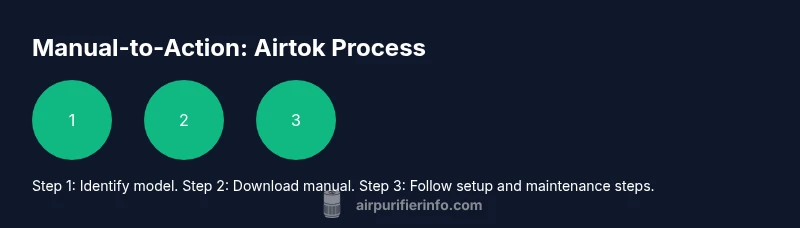
Identify your Airtok model
Inspect the device label on the purifier to find the exact model name and serial number. Cross-check these details with the manual’s model section to ensure you’re consulting the correct variant. This step prevents applying out-of-date or incorrect instructions.
Tip: Note both the model name and serial number for easy reference when downloading the manual. - 2
Download the official manual
Visit Airtok’s official site or trusted dealer pages to download the correct PDF. Save a local copy and consider keeping a printed version for quick reference.
Tip: If multiple manuals exist, choose the one labeled with your model number and firmware version. - 3
Familiarize yourself with safety and setup
Read the safety warnings first, then review the setup steps, including placement, power connection, and initial startup procedure.
Tip: Mark any critical safety notes in your notebook or digital device for rapid access. - 4
Check filter compatibility and life
Identify the recommended filter type, replacement intervals, and order replacements through official sources. Confirm the unit’s current filter age if the manual provides a counter.
Tip: Only use filters listed by Airtok to maintain performance and warranty validity. - 5
Schedule maintenance and recordkeeping
Create a maintenance calendar aligned with the manual’s timeline. Log replacement dates and sensor resets to keep track of performance.
Tip: Set reminders a few days before a recommended replacement date. - 6
Troubleshoot using the manual
If you encounter issues, follow the troubleshooting path in the manual, noting any fault codes and recommended actions.
Tip: Document steps taken before contacting support to speed up resolution.
Questions & Answers
Where can I download the official Airtok air purifier manual?
Visit Airtok’s official website or authorized dealer pages and navigate to the Support or Manuals section to download the correct PDF for your model.
Visit Airtok’s official site or trusted dealers to download the manual for your exact model.
Do Airtok manuals differ between models?
Yes. Manuals vary by model and firmware version, so always confirm you have the right edition for your purifier to avoid incomplete or incorrect guidance.
Yes, manuals differ by model; check your model number first.
What should I do if the manual is missing or damaged?
If the manual is missing or damaged, contact Airtok customer support with your model and serial numbers to obtain the correct edition or a replacement copy.
If missing, contact Airtok support with your model and serial numbers to get the right edition.
How often should I replace filters according to the manual?
Replacement intervals vary by model and usage. Refer to the manual’s maintenance section for the recommended schedule and adjust based on air quality and performance.
Intervals vary; check the manual and adjust based on air quality.
What do the diagrams and codes mean in the Airtok manual?
Diagrams illustrate airflow, filter location, and sensor indicators. Codes provide troubleshooting steps. Always consult the legend or definitions in the manual for accuracy.
Diagrams show components; codes guide troubleshooting.
Is it safe to operate without reading the manual first?
No. Reading the safety and setup sections first helps prevent hazards, ensures proper placement, and protects warranty terms.
Reading safety first prevents hazards and preserves warranties.
Watch Video
Main Points
- Identify your exact model to ensure you read the correct manual
- Download the official Airtok manual from the manufacturer
- Prioritize safety, then setup and maintenance steps
- Follow the recommended filter types and replacement intervals
- Use the troubleshooting section for efficient issue resolution